
For working photographers

From the first frame to the final delivery.

Ingest a shoot, cull it, proof it with your client, edit, and deliver, all from the server that already holds your photographs. No per-gallery fees, and no uploading originals to someone else's cloud.

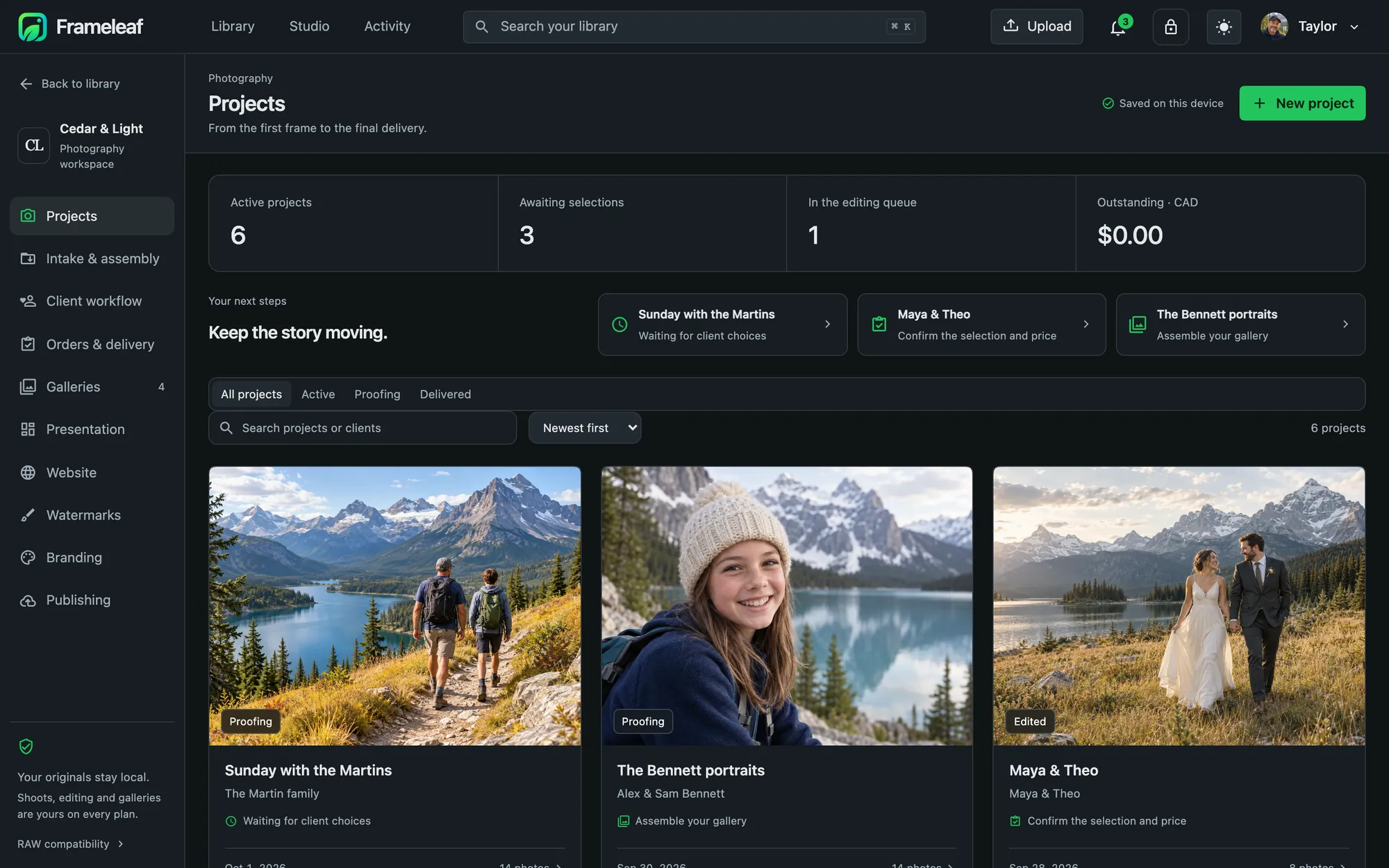
The Photography workspace showing projects

One workspace for the whole job.

Projects, intake, client workflow, orders, galleries, presentation, website, watermarks and branding. Scroll through a shoot.

  1. Every project in one place

    Active projects, selections you are waiting on, what is in the editing queue and what is outstanding, with your next step for each client.

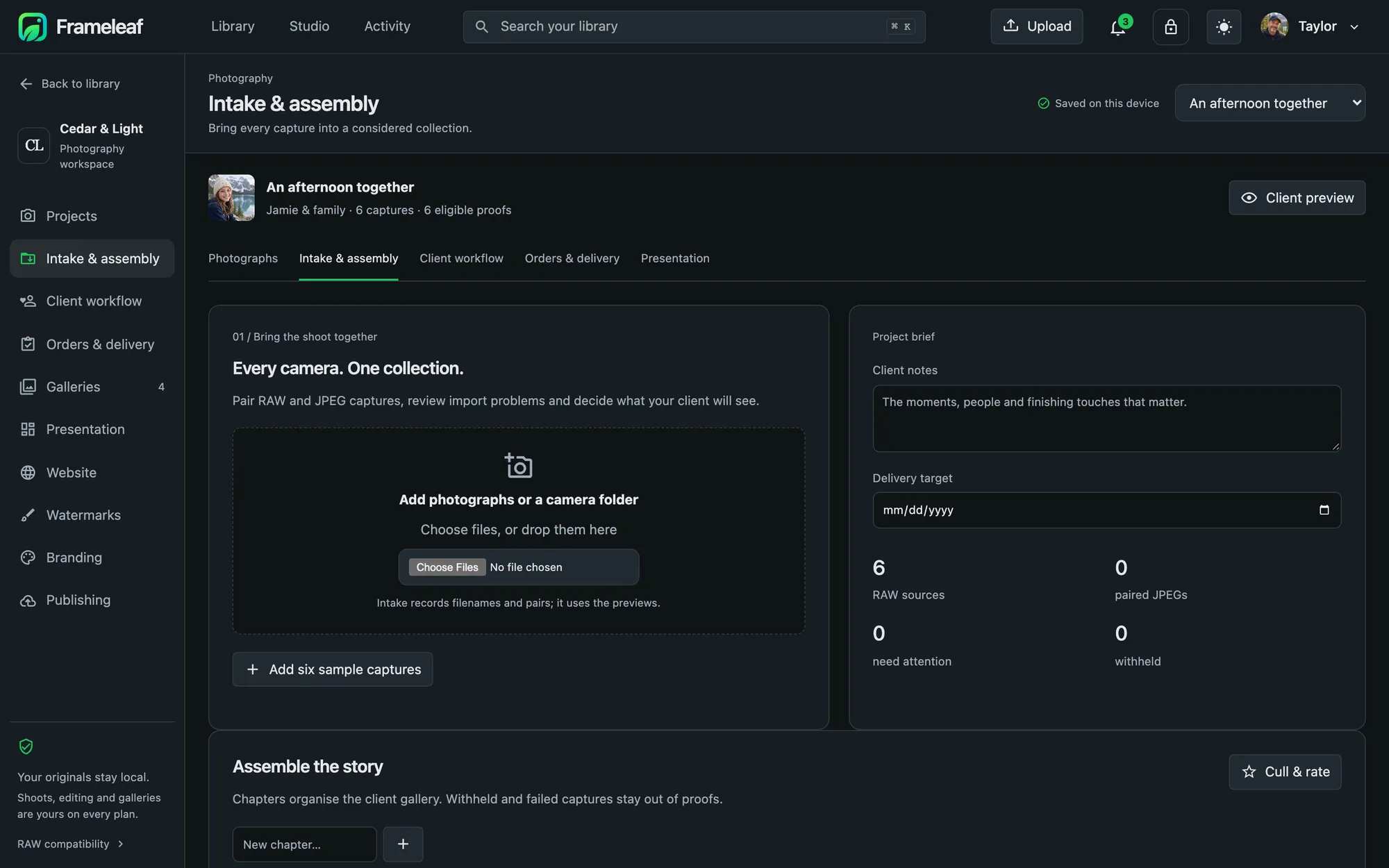
  2. Ingest

    Drop in a card or a camera folder. RAW and JPEG pairs are matched, import problems are flagged, and you decide what your client will see.

  3. Organise and cull

    Rate, reject and group into chapters. Held-back and failed captures stay out of the proofs.

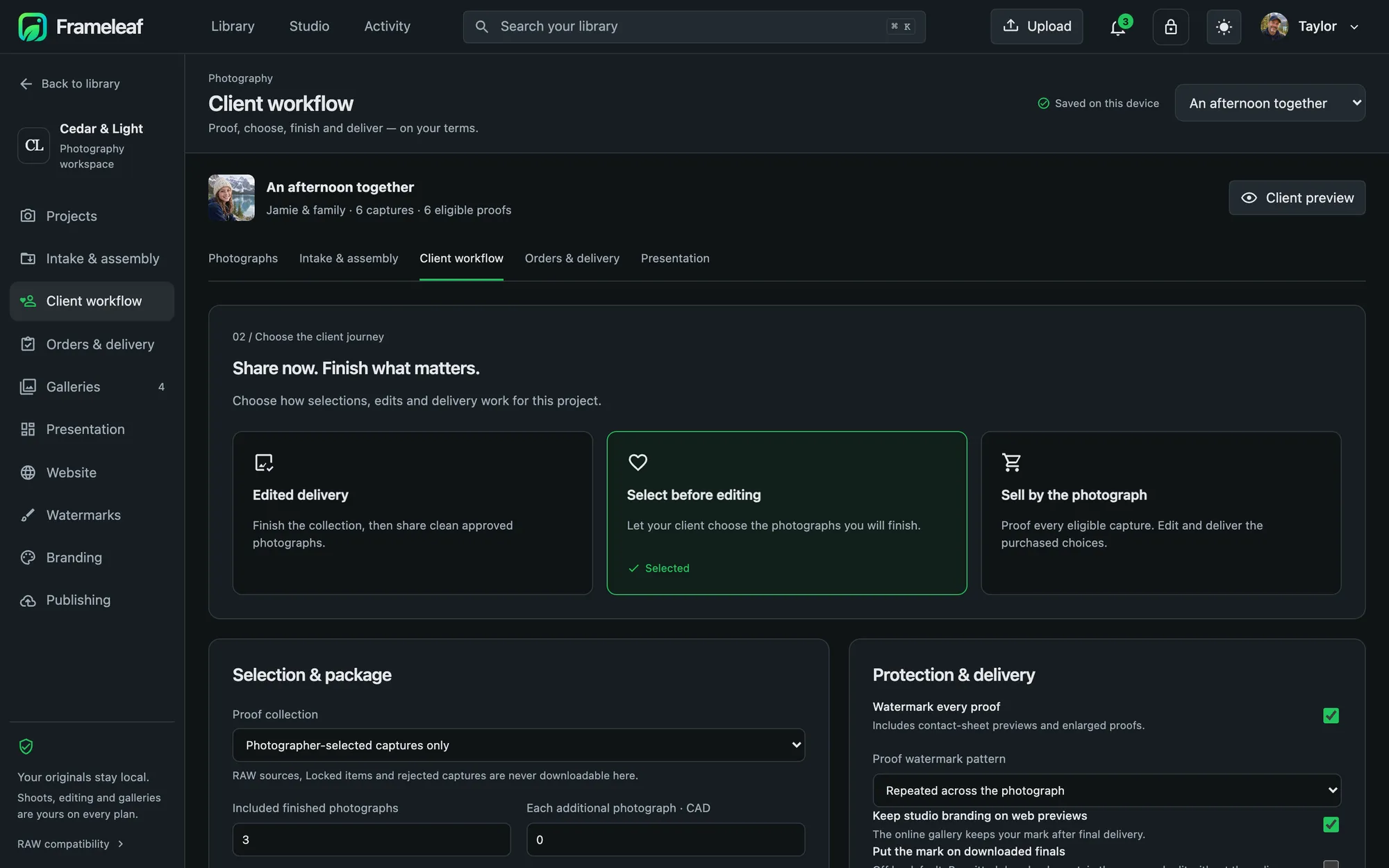
  4. Proof, your way

    Deliver finished edits, let the client shortlist before you edit, or sell by the photograph, with a package of included images and a price for extras.

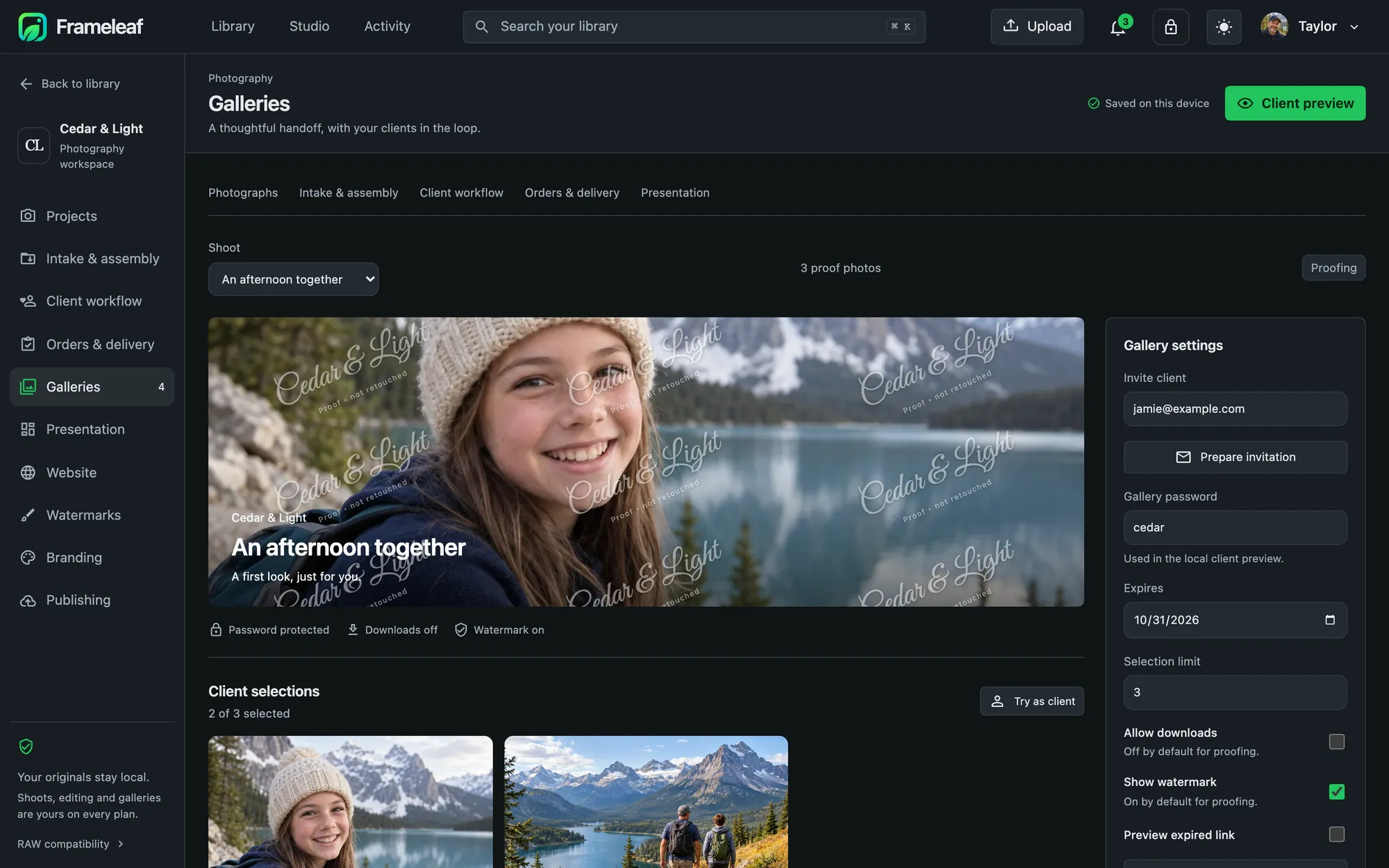
  5. A gallery your client opens

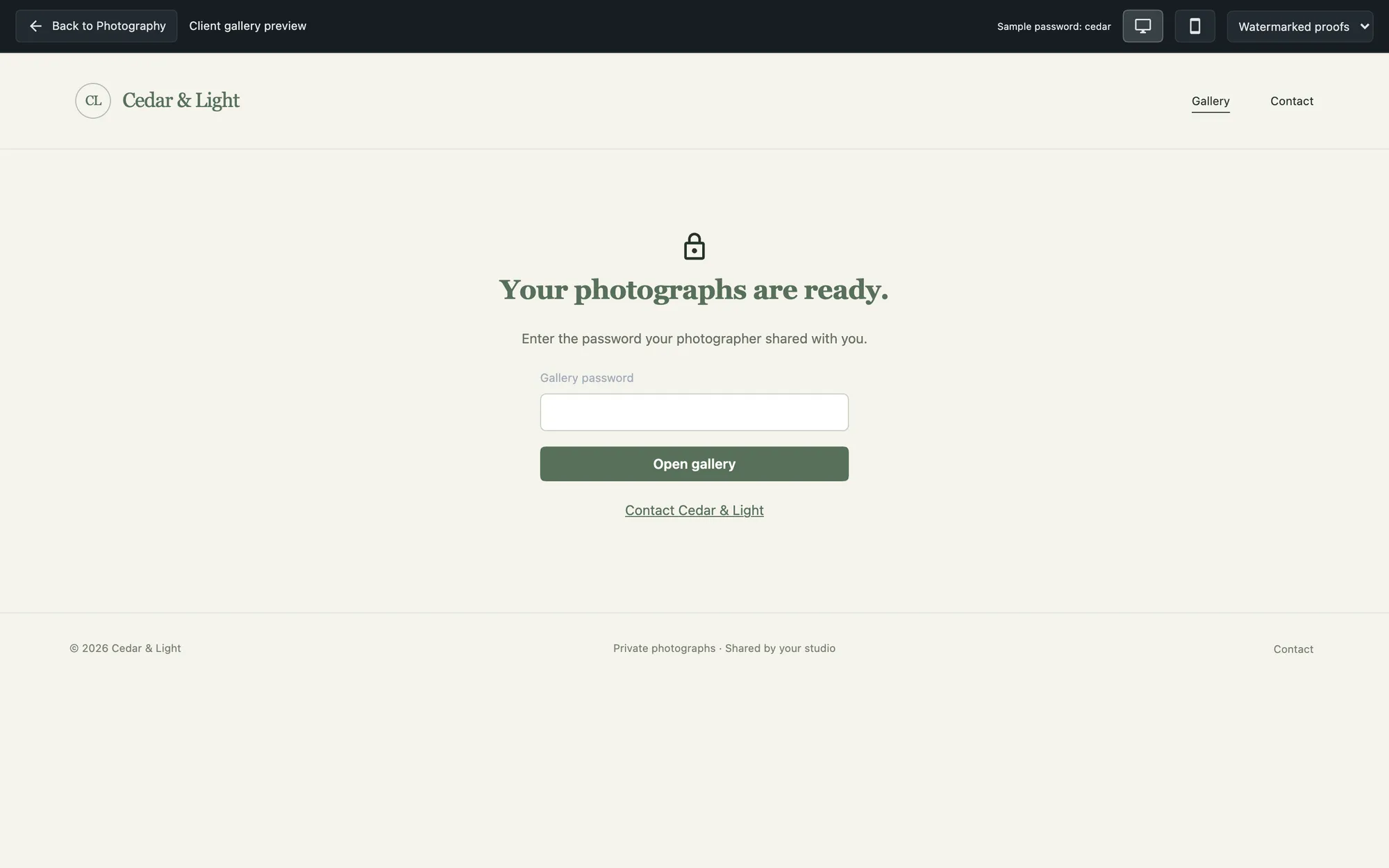
    A password-protected gallery in your branding, where clients pick favourites and leave retouch notes. Proof downloads start off and watermarks start on.

  6. Edit

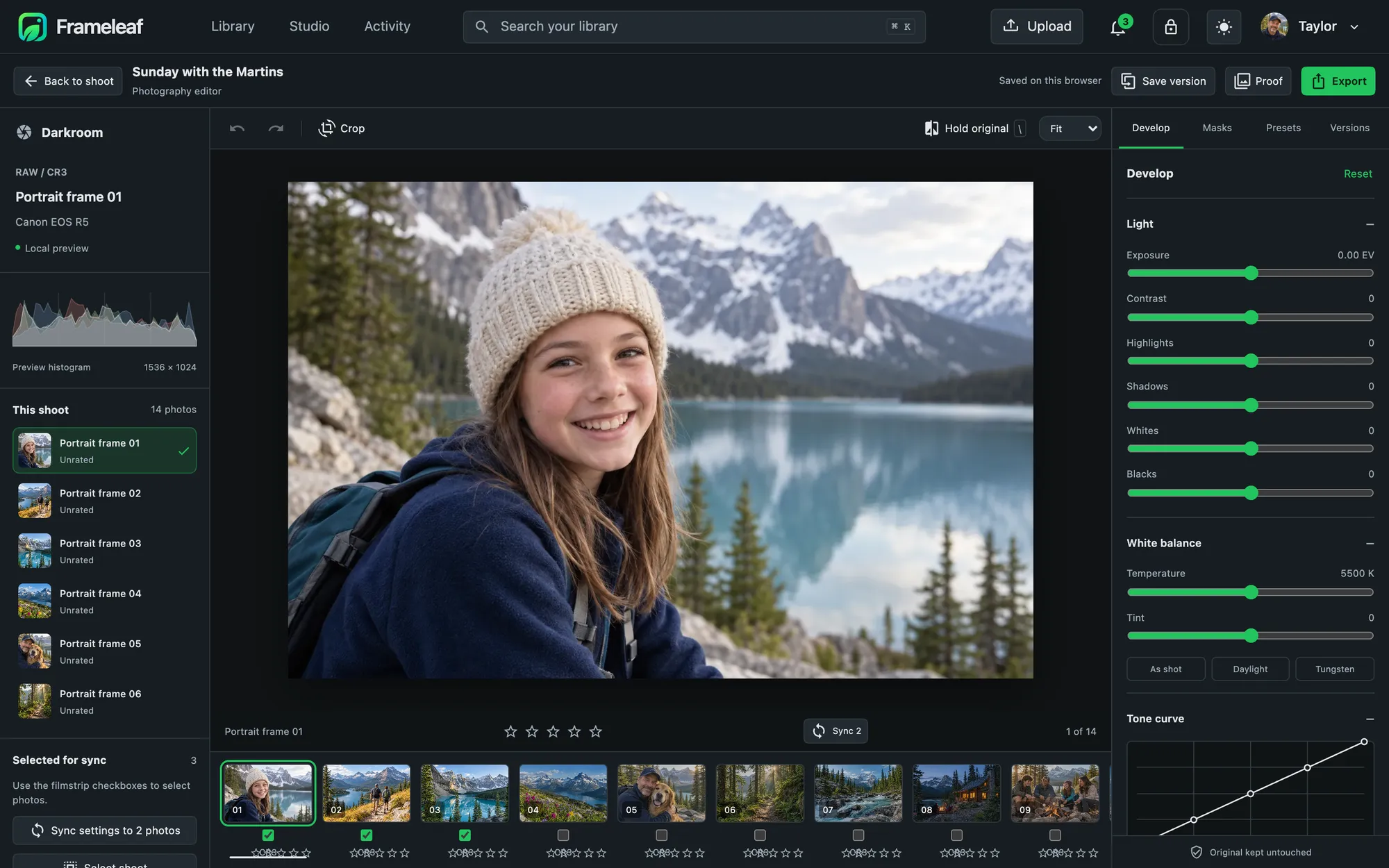
    Develop RAW files with light, white balance and a tone curve, add masks, save versions, and sync settings across a set.

  7. Deliver

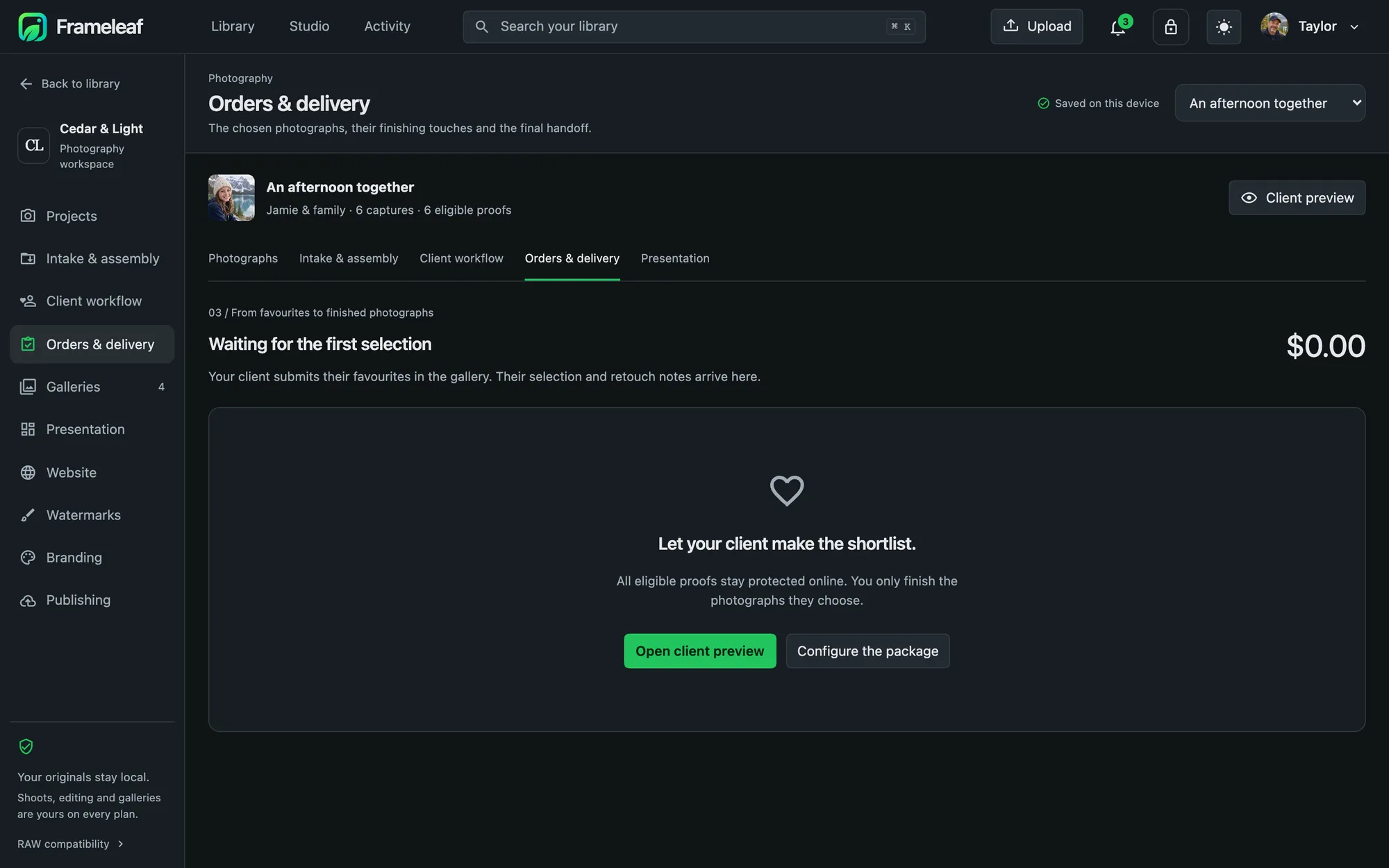
    Confirm the selection and price, approve the finished versions, and release the delivery when you are ready.

  8. Present

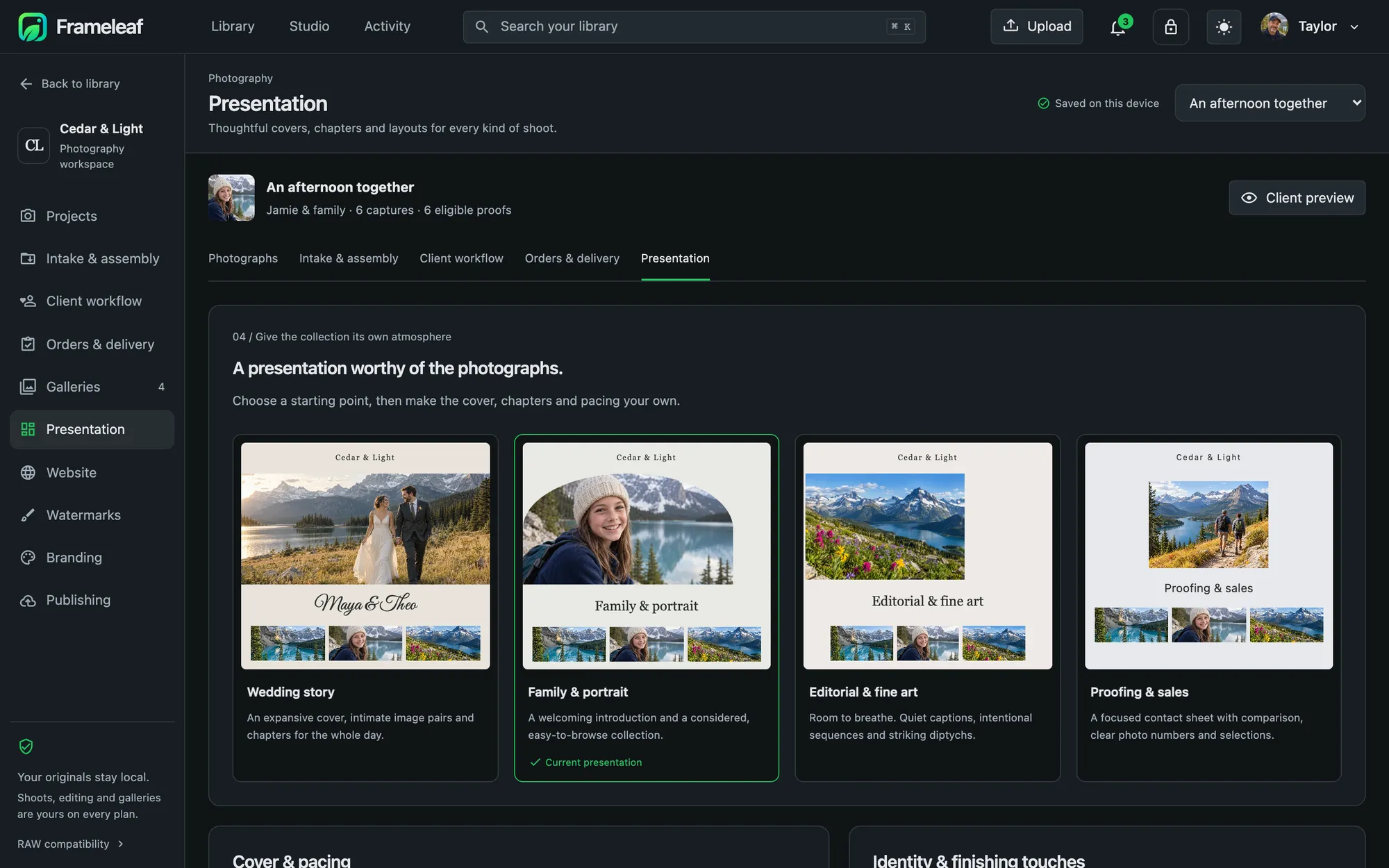
    Start from a wedding story, family and portrait, editorial or proofing layout, then set the cover, chapters and pacing.

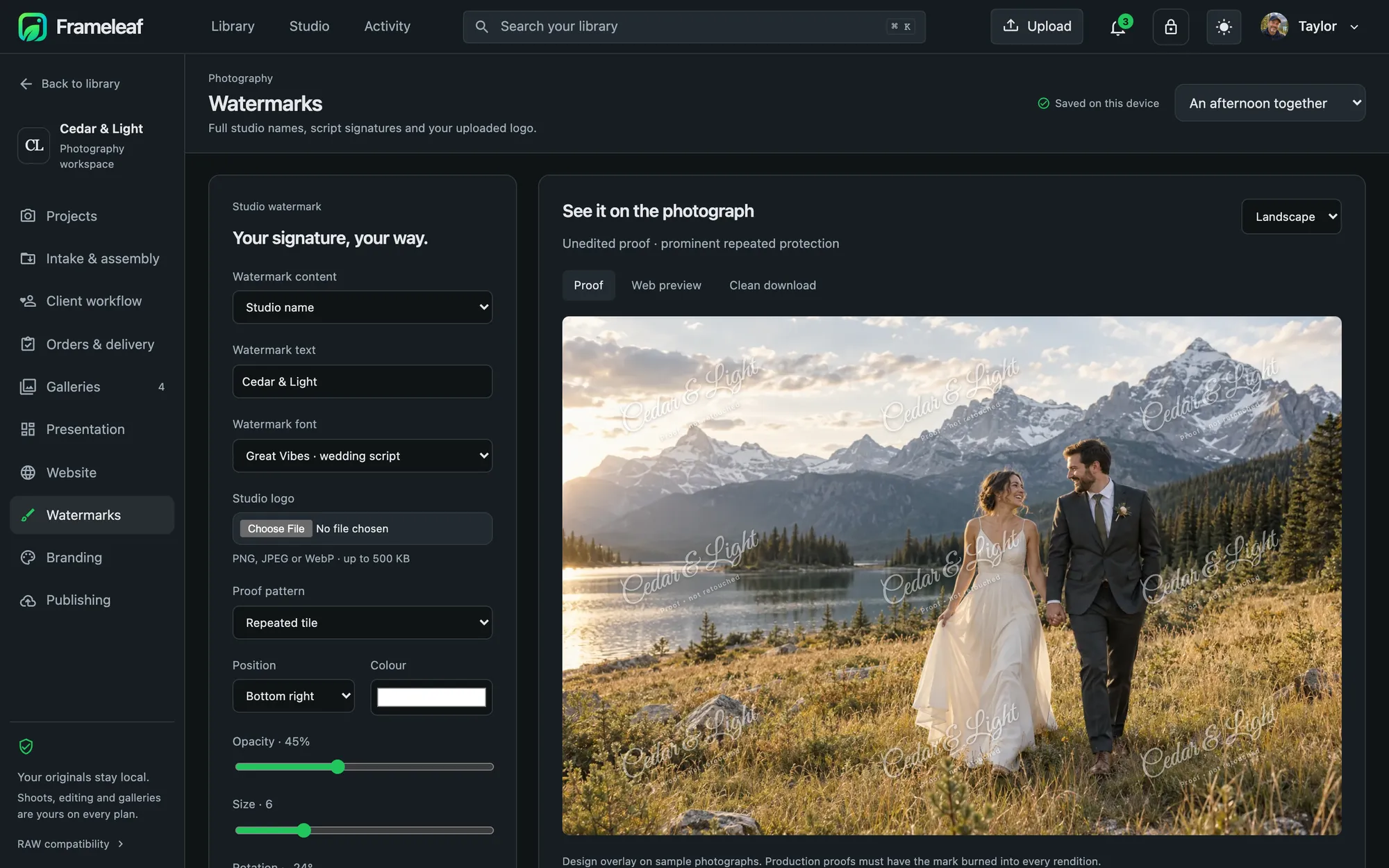
  9. Sign your work

    Your studio name, a script signature or your logo, as a corner mark or repeated across a proof. Separate marks for proofs, web previews and clean downloads.

  10. Publish your studio

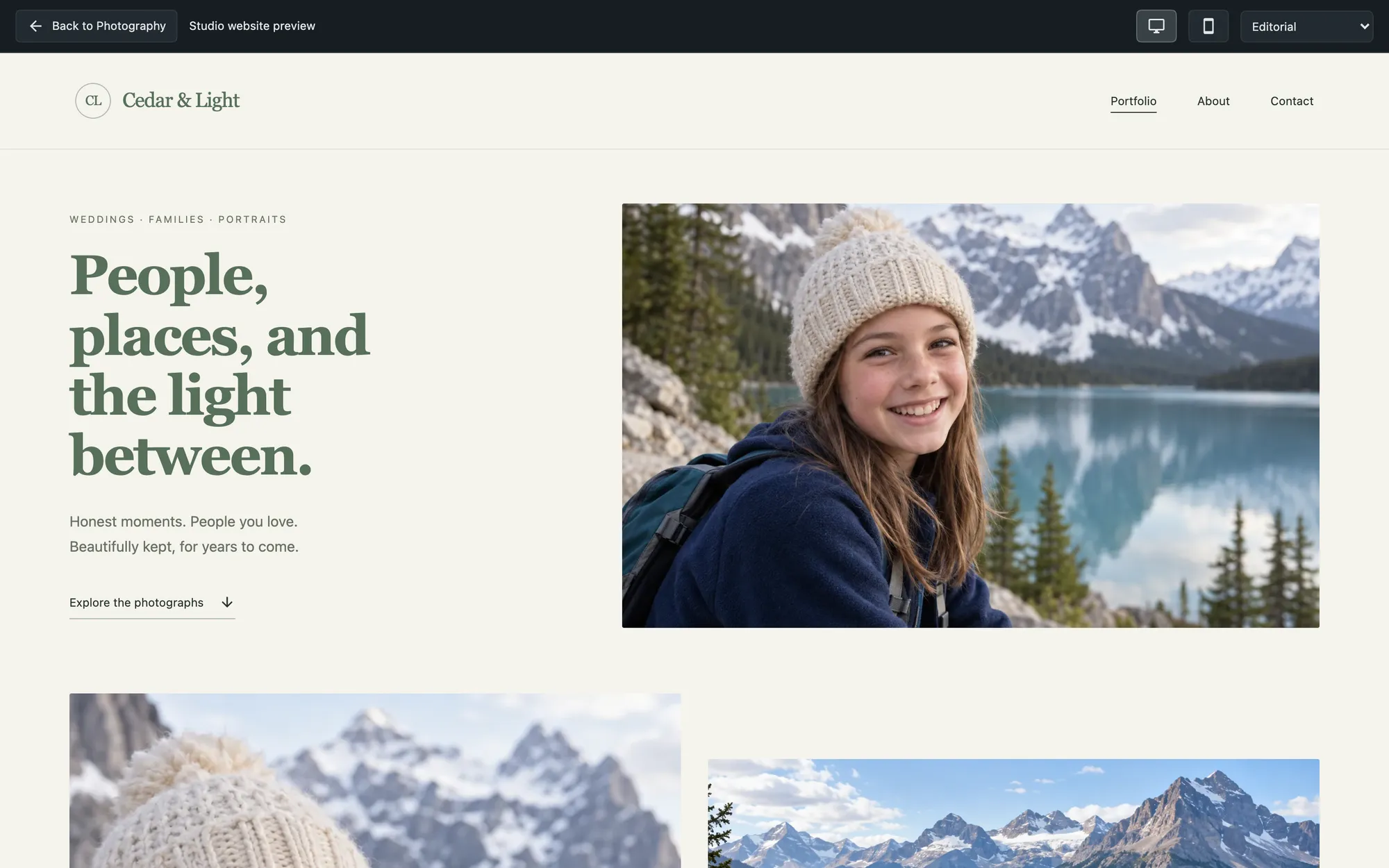
    A portfolio website and client galleries served straight from your own server, on your own domain.

Projects overview with active projects, awaiting selections and next stepsIntake and assembly with RAW and JPEG pairingGallery settings with a proof gallery and client selectionsClient workflow options: edited delivery, select before editing, sell by the photographPassword-protected client galleryRAW editor with develop controls, tone curve and a filmstripOrders and delivery, waiting for the first selectionPresentation templates: wedding story, family and portrait, editorial, proofing and salesWatermark editor with a script signature over a wedding photographA studio website with a portfolio

Your studio tools work on every plan.

The photography workspace is part of Frameleaf, free on your own server. Your originals, edits and client feedback never leave it.

Every camera

RAW files from major cameras live in your library with previews and a health status, alongside their JPEG pairs.

Three ways to sell

Edited delivery, select before editing, or sell by the photograph, each with its own selection limits and package.

Packages and extras

Set how many finished photographs are included and the price of each additional one, and the order totals itself.

Protected proofs

Password, expiry date and selection limit per gallery. Downloads are off by default while proofing.

Your brand throughout

Studio name, tagline, logo, colours and typography carry through galleries, the website and every delivery.

Preview as your client

See exactly what a client sees, on desktop or phone, before you invite anyone.

Edit where the files already are.

No round trip through another app and no export step before proofing. The filmstrip keeps the whole shoot one click away.

  • Develop exposure, contrast, highlights, shadows, whites and blacks, white balance presets and a tone curve.
  • Masks to work on part of a photograph.
  • Versions save one and return to it, with the original always untouched.
  • Sync settings from one frame to the rest of the set.
The RAW editor with develop controls and a tone curve

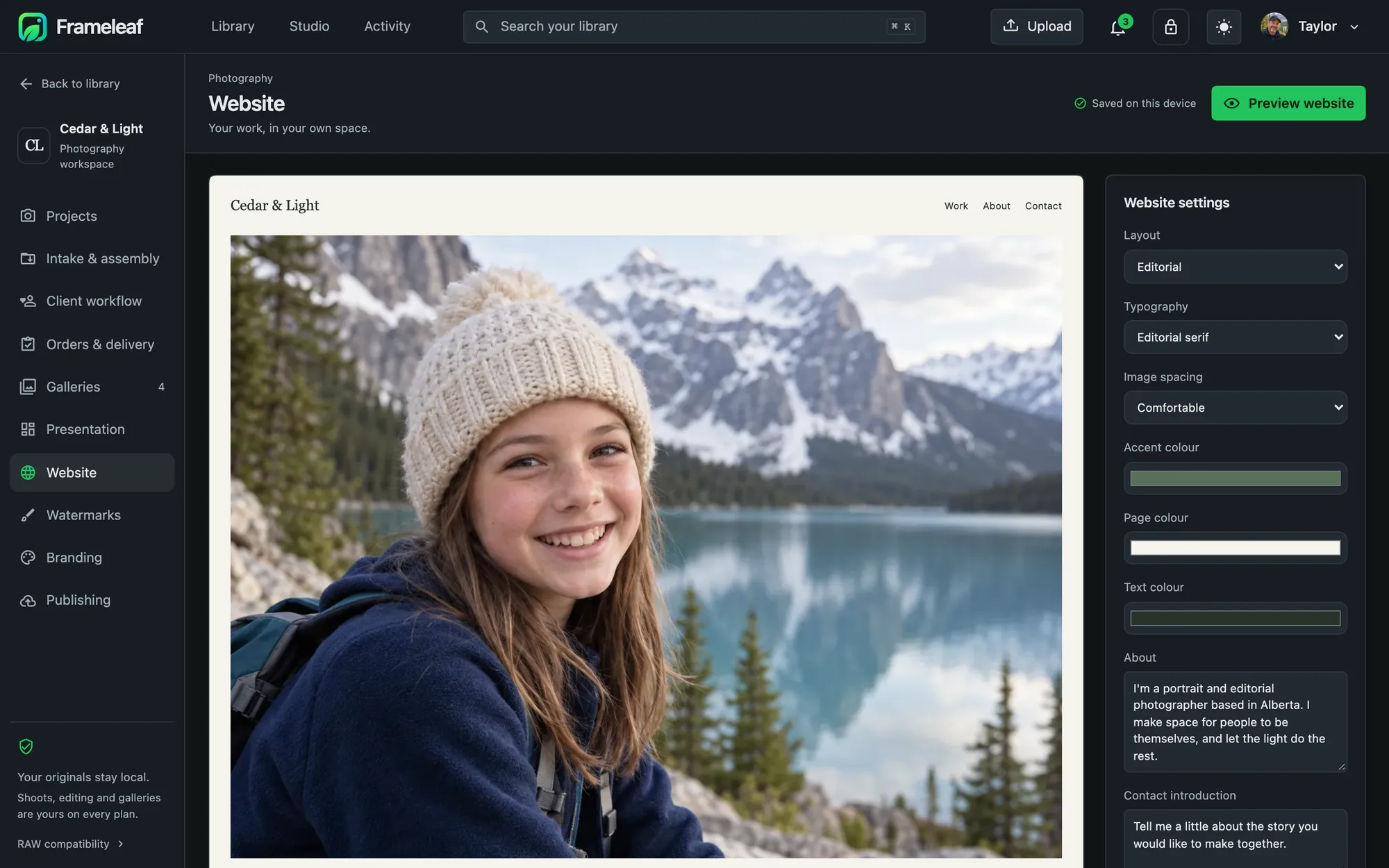
A website worthy of the work.

Your portfolio and your client galleries share one address and one look.

  • Layouts and type editorial layouts and typefaces chosen for photographs.
  • Your words an about section and a contact introduction.
  • Your order choose which photographs become public, and in what sequence.
Website settings beside a live preview

Publish it with Frameleaf Cloud Pro.

You can host your website and galleries yourself; that's included. Cloud Pro is for when you'd rather not run the networking: one studio, one domain, one server, managed for you.

Self-hosted

$0
  • The whole photography workspace
  • Client galleries, proofing, orders and delivery
  • Your studio website and watermarks
  • Publishing through hosting you set up yourself
Get Frameleaf

Your server, your photographs. Local features included; hosting is yours.

Frameleaf Cloud Pro

$29.99 / month
  • Your own domain, set up and kept running for you, with certificates
  • Managed connections to your studio: direct access with an encrypted relay as fallback
  • Faster relay: 50 Mbps and 500 GB a month; direct traffic isn't metered
  • 1 TB encrypted backup, if you choose to turn it on
  • Connection monitoring and priority support
  • Everything in Frameleaf Cloud
Sign in to get started

Or $299.90 a year. Replaces the standard Cloud plan for that server. No transfer overage charges: relay traffic slows after 500 GB instead.

Made for a local workflow.

Nothing is hosted elsewhere

Your Frameleaf server serves the website and galleries. Cloud Pro keeps no hosted copy, so your server needs to stay online.

Cloud can't see the work

Cloud Pro can't read gallery photographs or your server's private keys.

You choose what's public

Only the photographs you pick appear on your website. Everything else stays private.

Cancel without losing anything

The managed services end after the paid period. Editing, exports and publishing you set up yourself keep working.

Walk through a shoot.

The demo opens on a working studio with six projects. Nothing to install.