










Your photos.Your server.Everywhere.

A private photo and video library that runs on your own home server, with beautiful native apps for every screen.

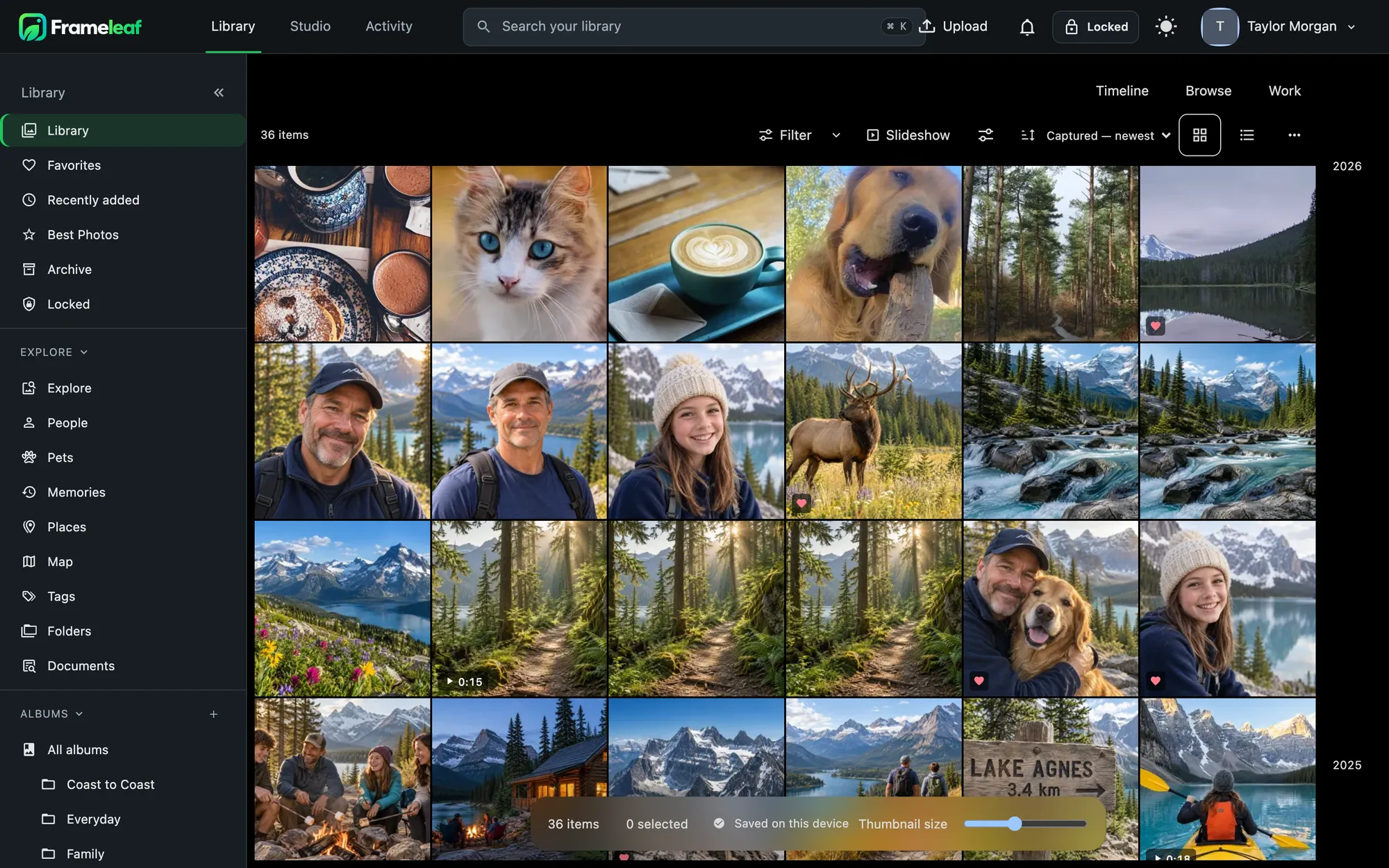
Every photo, one library.

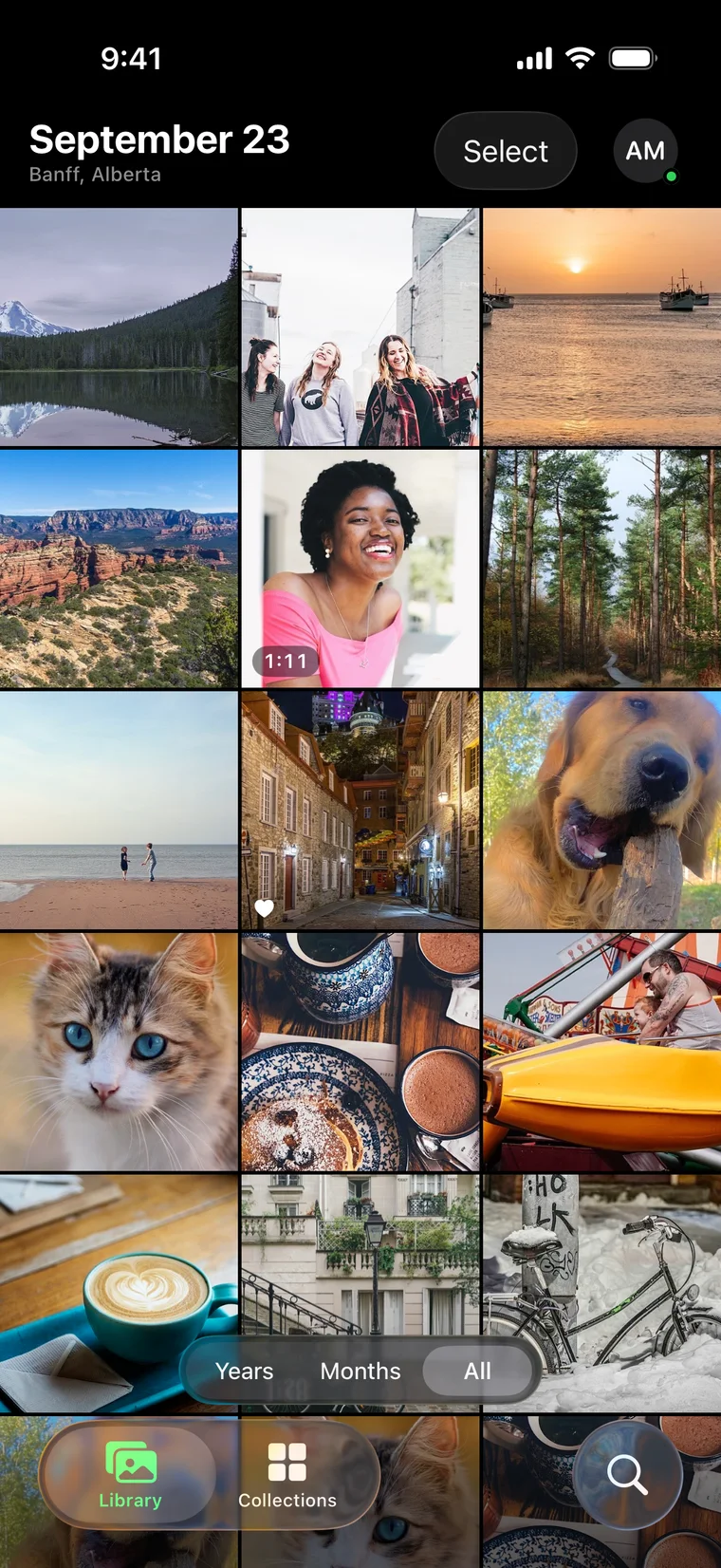
Phones, cameras and old hard drives all land in one timeline, organised by day, month and year.

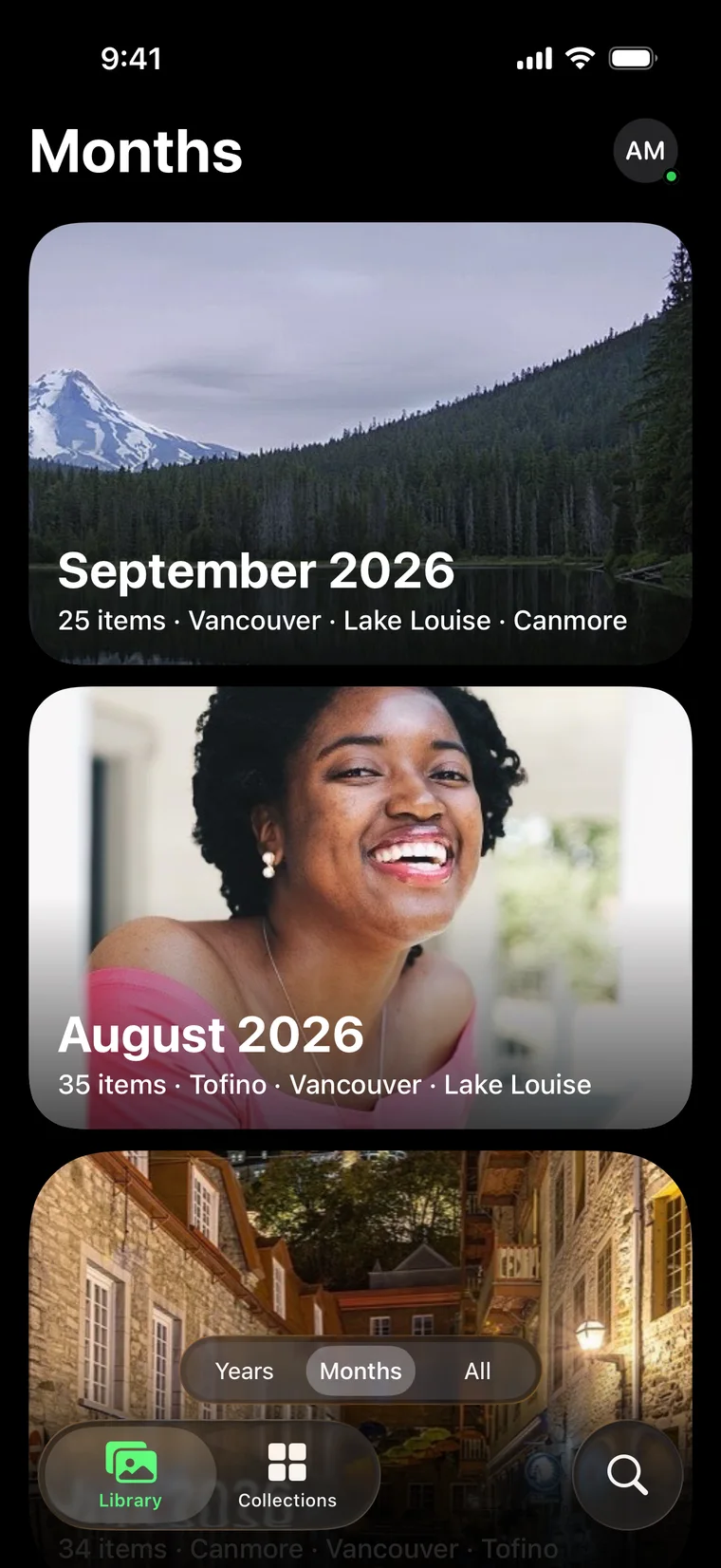
The Frameleaf library on iPhone

Stored on hardware you own.

Originals stay on your server as ordinary files. No storage limits beyond your own disks.

Up and running in an evening.

Frameleaf runs on hardware you already own. Three steps from an empty box to a library the whole family uses.

  1. Install the server

    Docker Compose on any Linux machine, or a guided install on Unraid, Synology and TrueNAS. Claim it from your phone with an 8-character setup code.

  2. Bring everything home

    The apps back up every phone in the house. Import a Google Photos export or your iCloud library, or point Frameleaf at folders already on your disks.

  3. Enjoy it from anywhere

    Browse, search and edit on any screen at home. Add Frameleaf Cloud if you want remote access and an off-site backup, and only then.

Your photos aren't a subscription. They live on a box you own, and Frameleaf makes that box a pleasure to use from anywhere.

Studio: your home videos, finally finished.

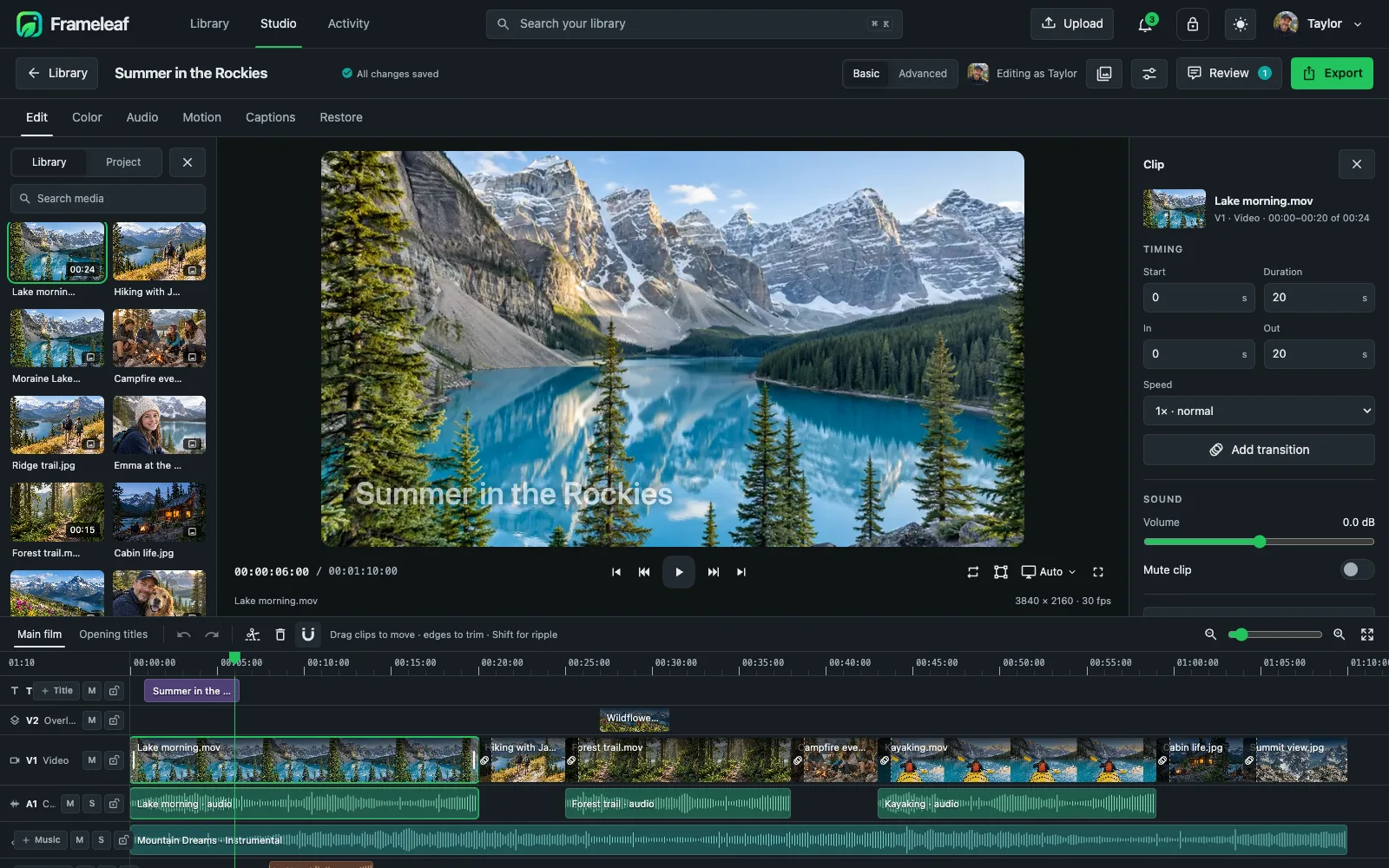
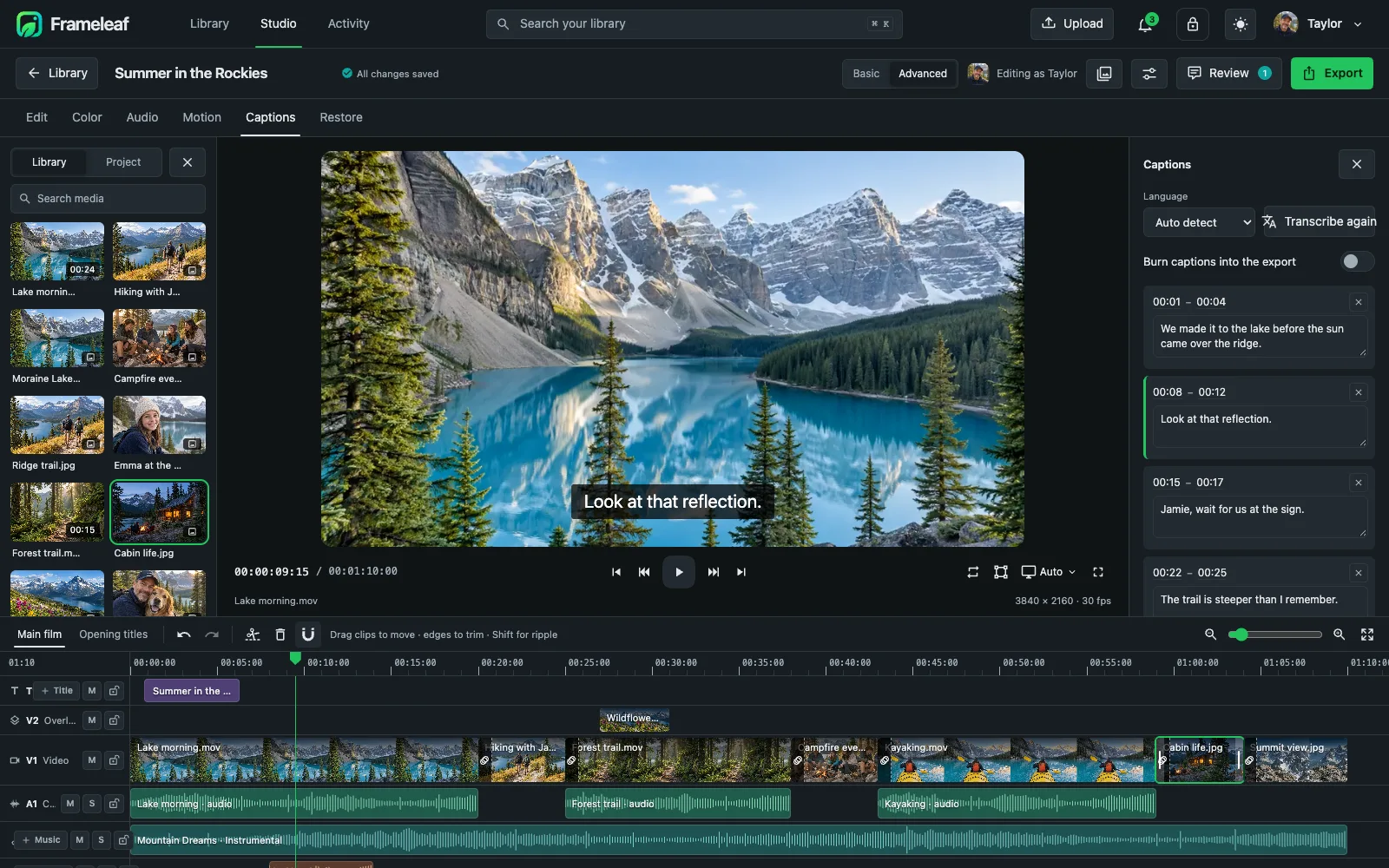
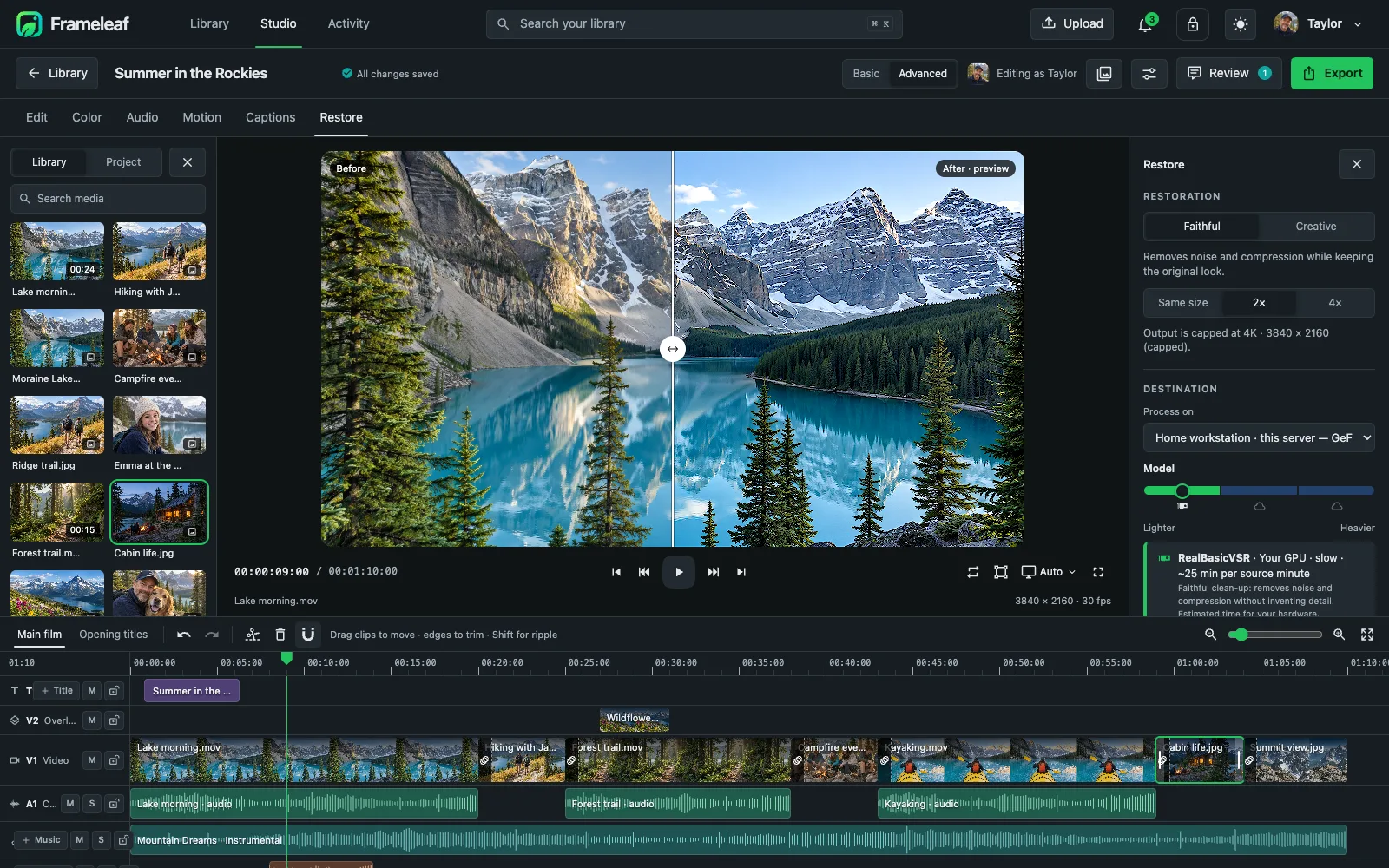
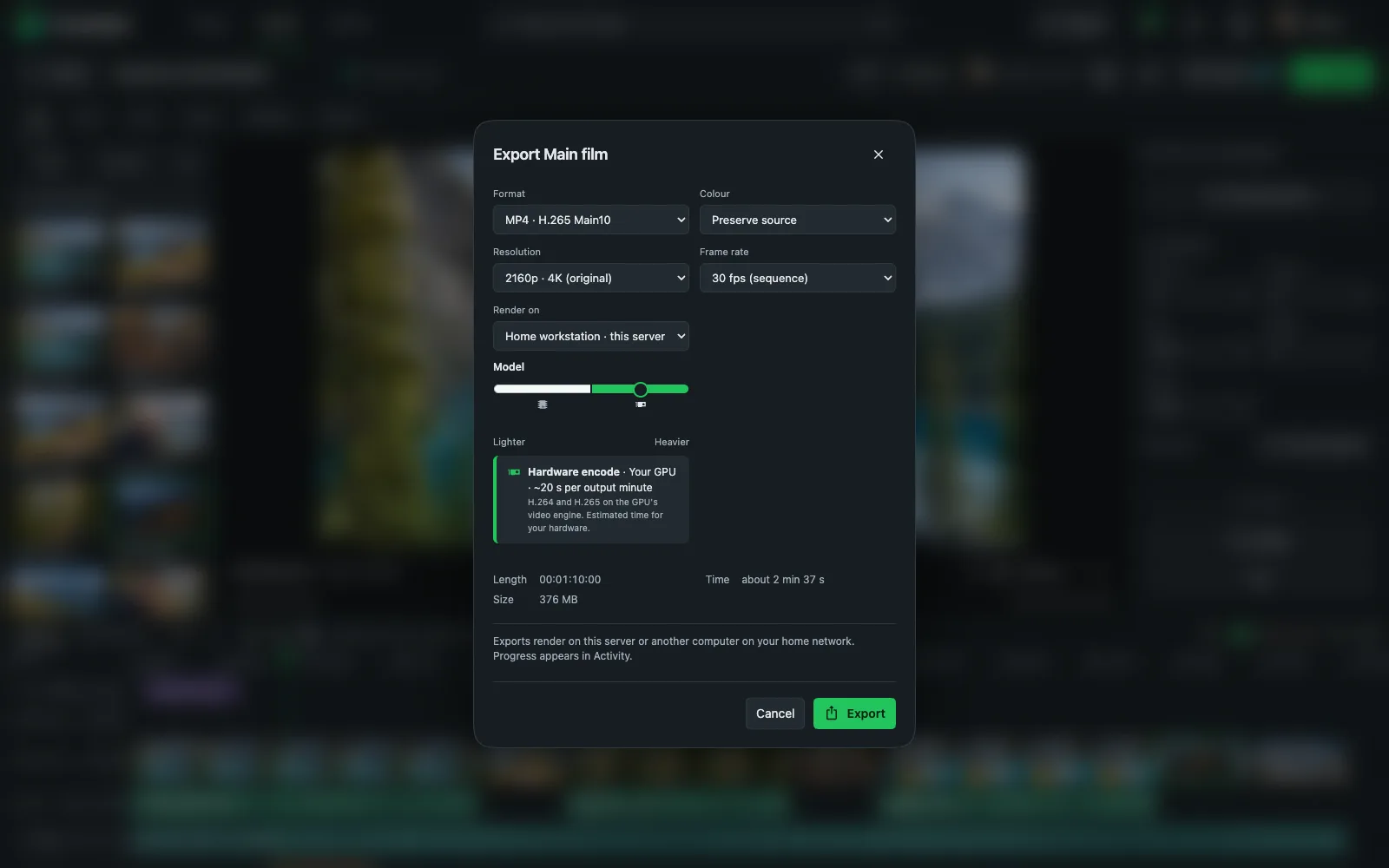
A full video editor built into your library. Scroll through it.

  1. A real timeline

    Titles, video, camera audio and music on their own tracks, with ripple edits.

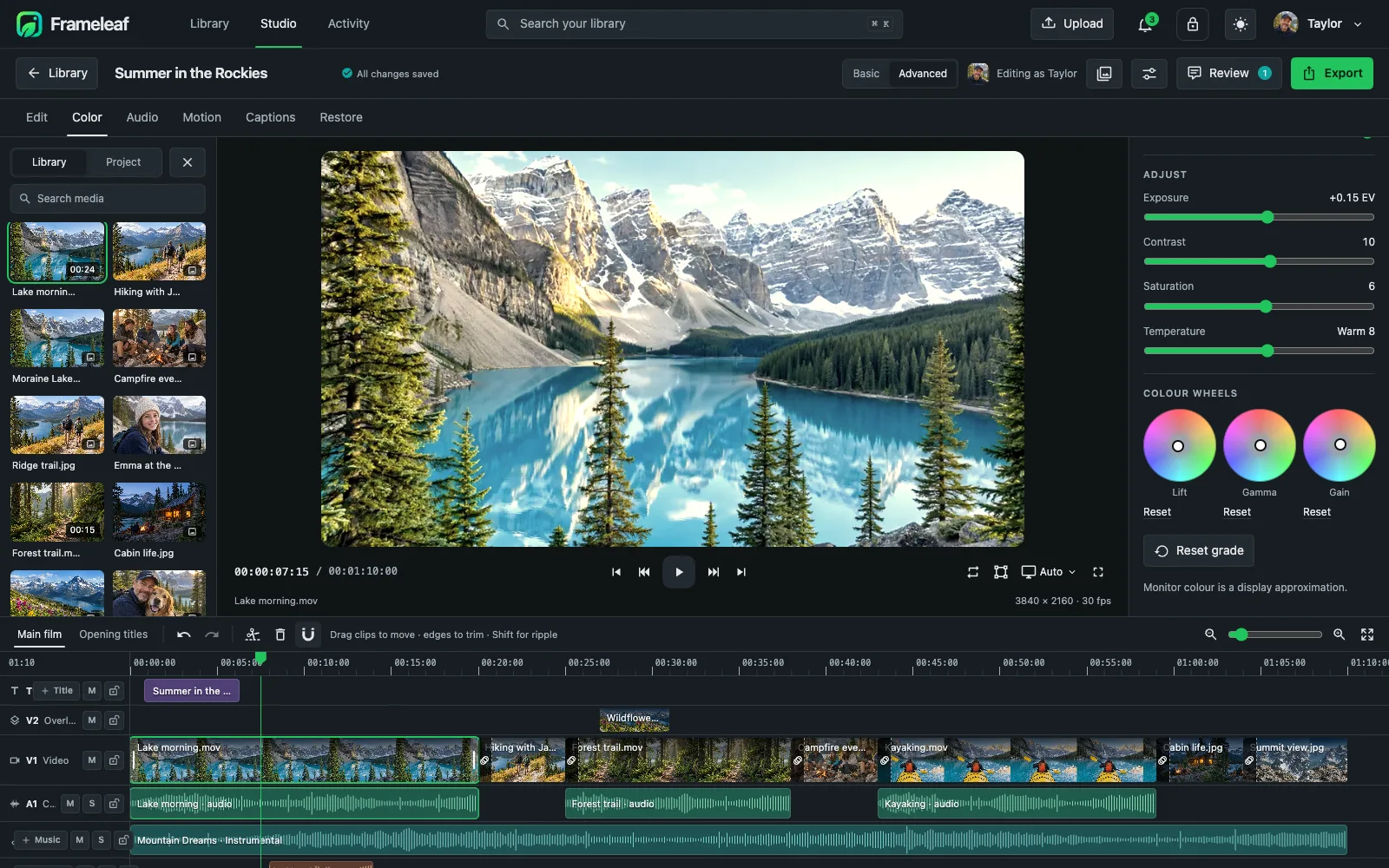
  2. Colour grading

    Scopes, looks and lift, gamma and gain wheels.

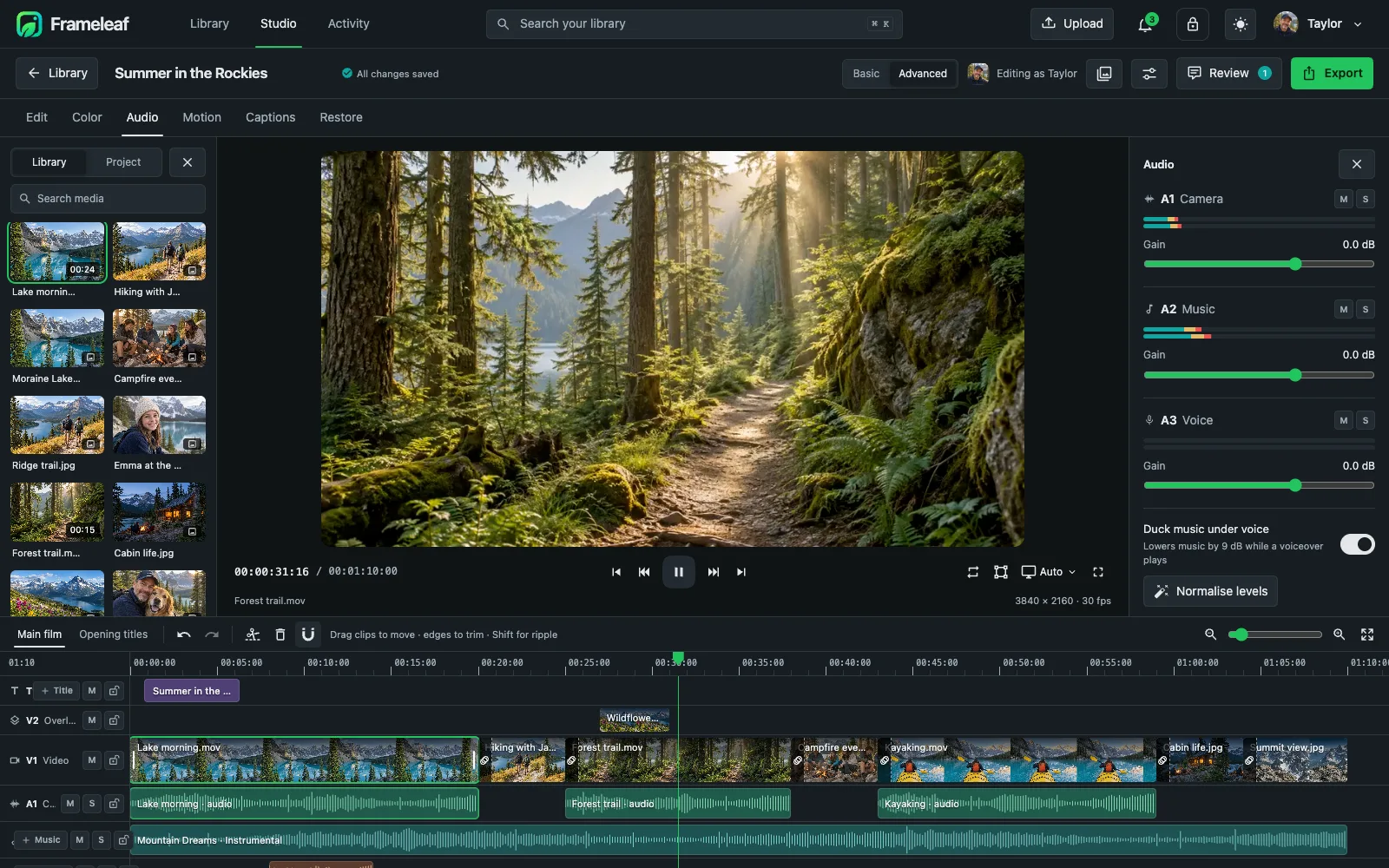
  3. Audio and music

    Gain, pan and EQ per track, music that ducks under voices, and local AI music generation.

  4. Captions from speech

    Transcribe dialogue into timed captions you can edit.

  5. Restore old footage

    Clean up noise and compression, previewed first.

  6. Export at home

    H.265, H.264, AV1 or ProRes up to 4K, rendered on your own server.

Studio timelineColour wheelsAudio mixerCaptionsRestorationExport
Explore Studio

Try the editor right here.

This is the Frameleaf photo editor, running live in your browser. Drag a slider, press Auto, try a preset or crop the photo. Your original is never touched.

Frameleaf · Quick edit
  • Auto balances light and colour in one click.
  • Hold \ to compare with the original.
  • Presets apply a whole look at once.
  • Save version keeps the original alongside your edit.

Edits stay in this browser tab.

In your pocket, on iPhone and Android.

  1. Your years at a glance

    Months and years open as big, photo-filled cards. Scroll a decade in seconds.

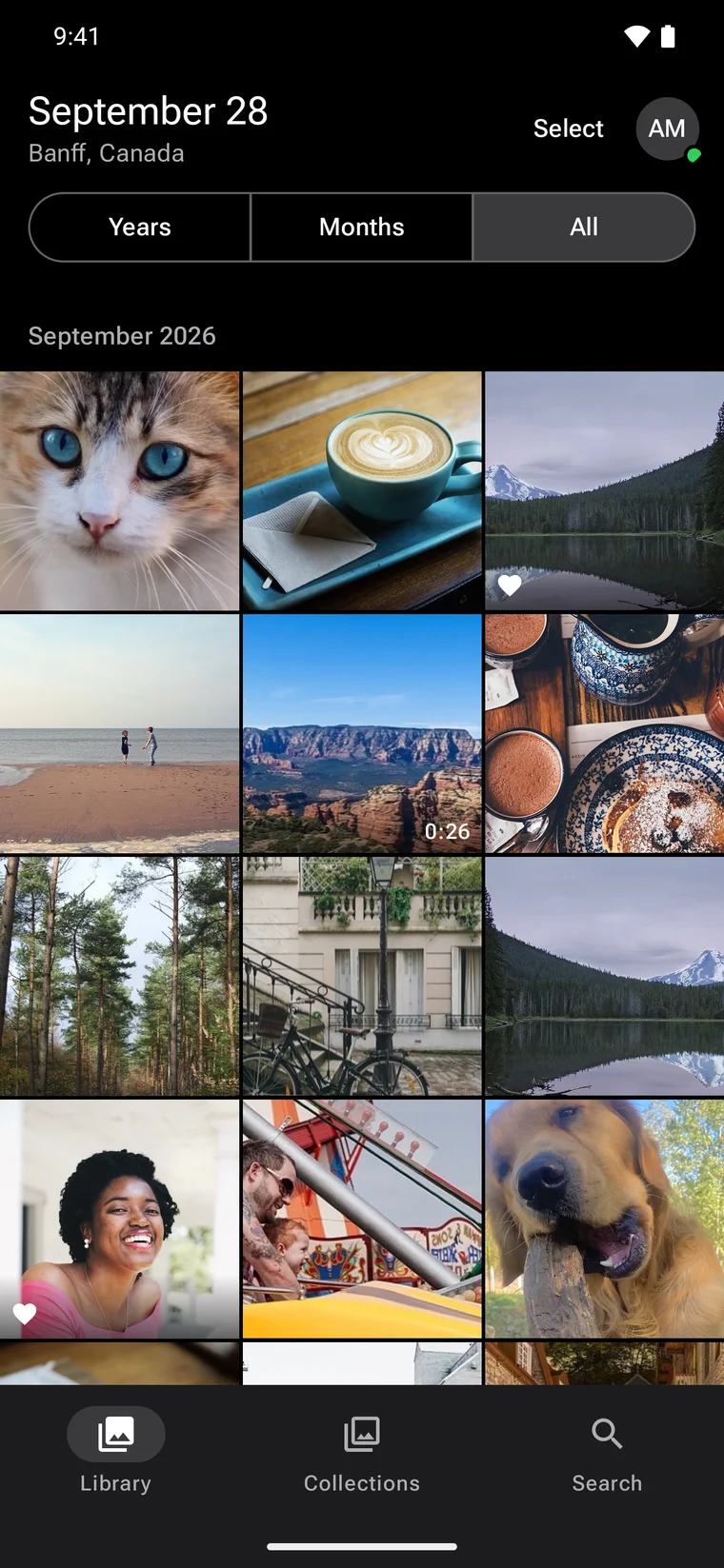
  2. Native on Android too

    Written in Kotlin with Material 3, with offline libraries and a full video editor.

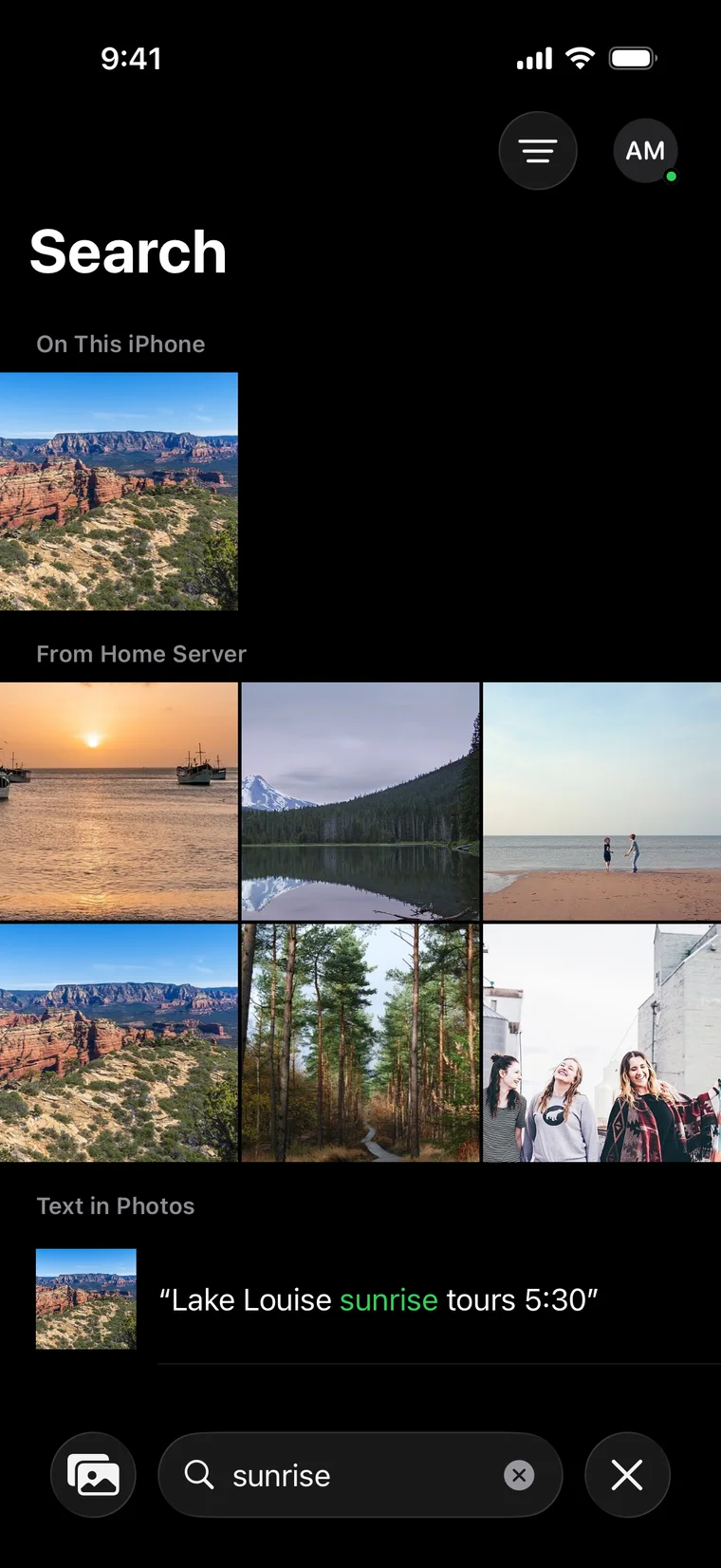
  3. Search everything on your server

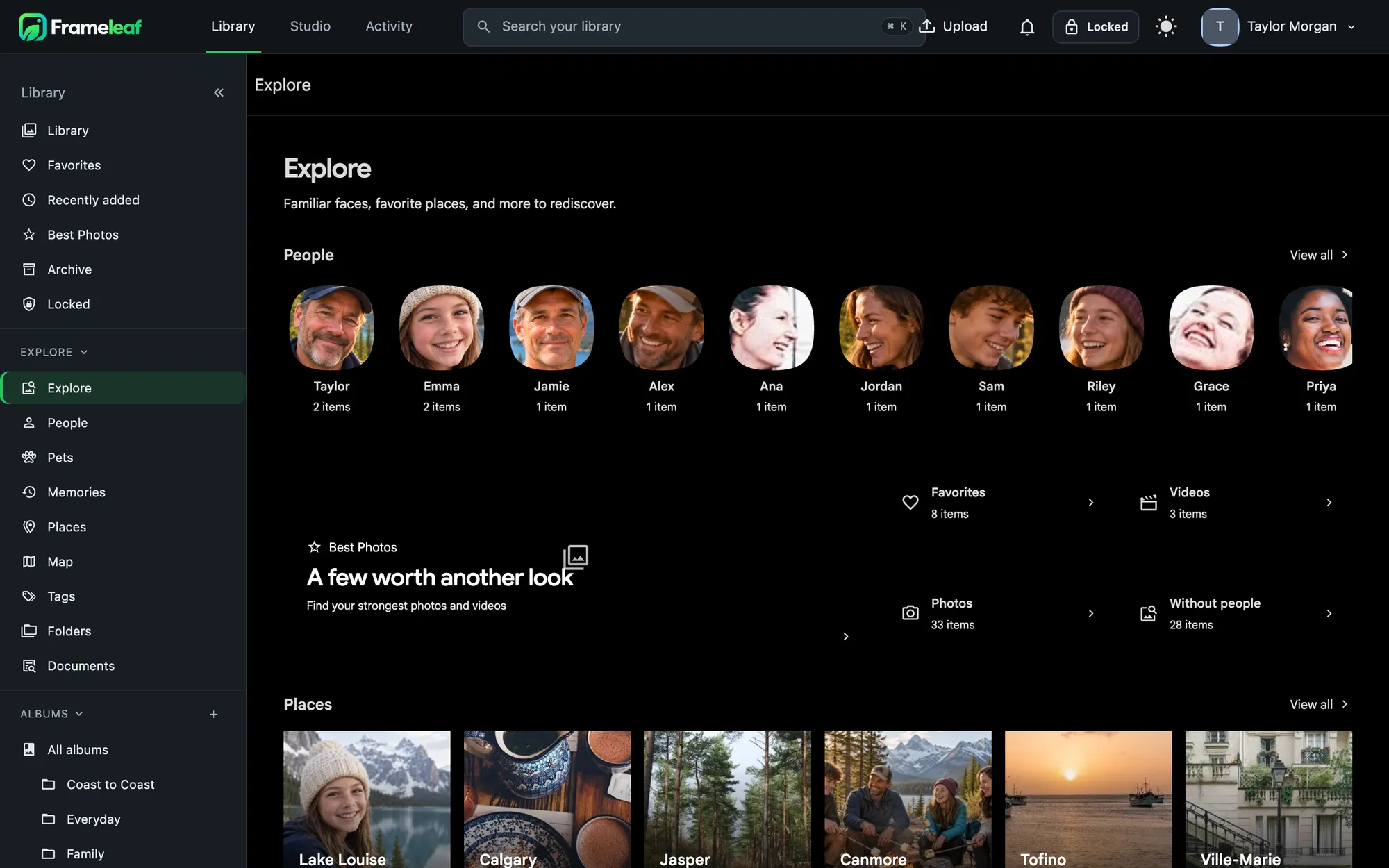
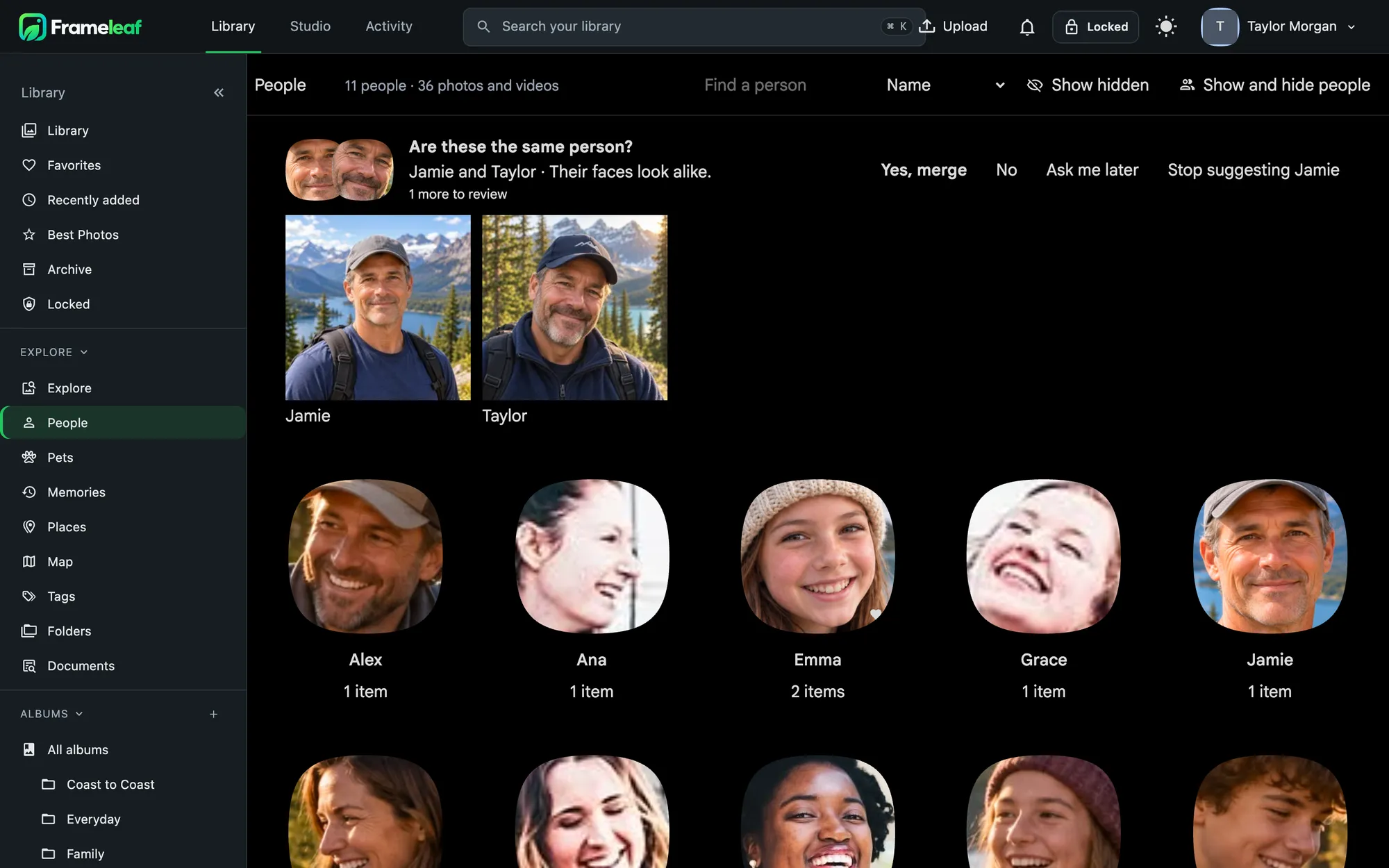
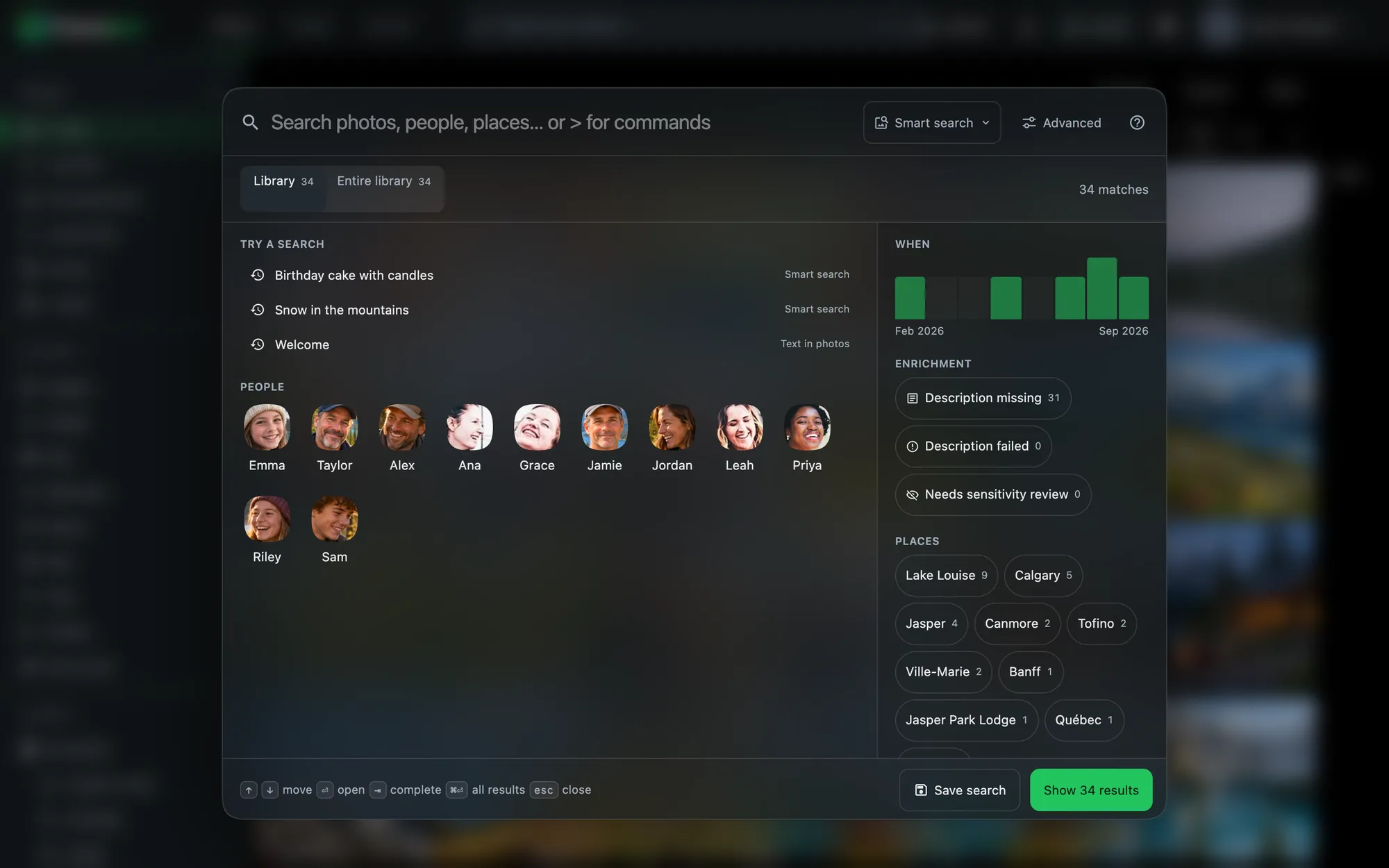
    People, places, dates and the words inside photos, not just what fits on your phone.

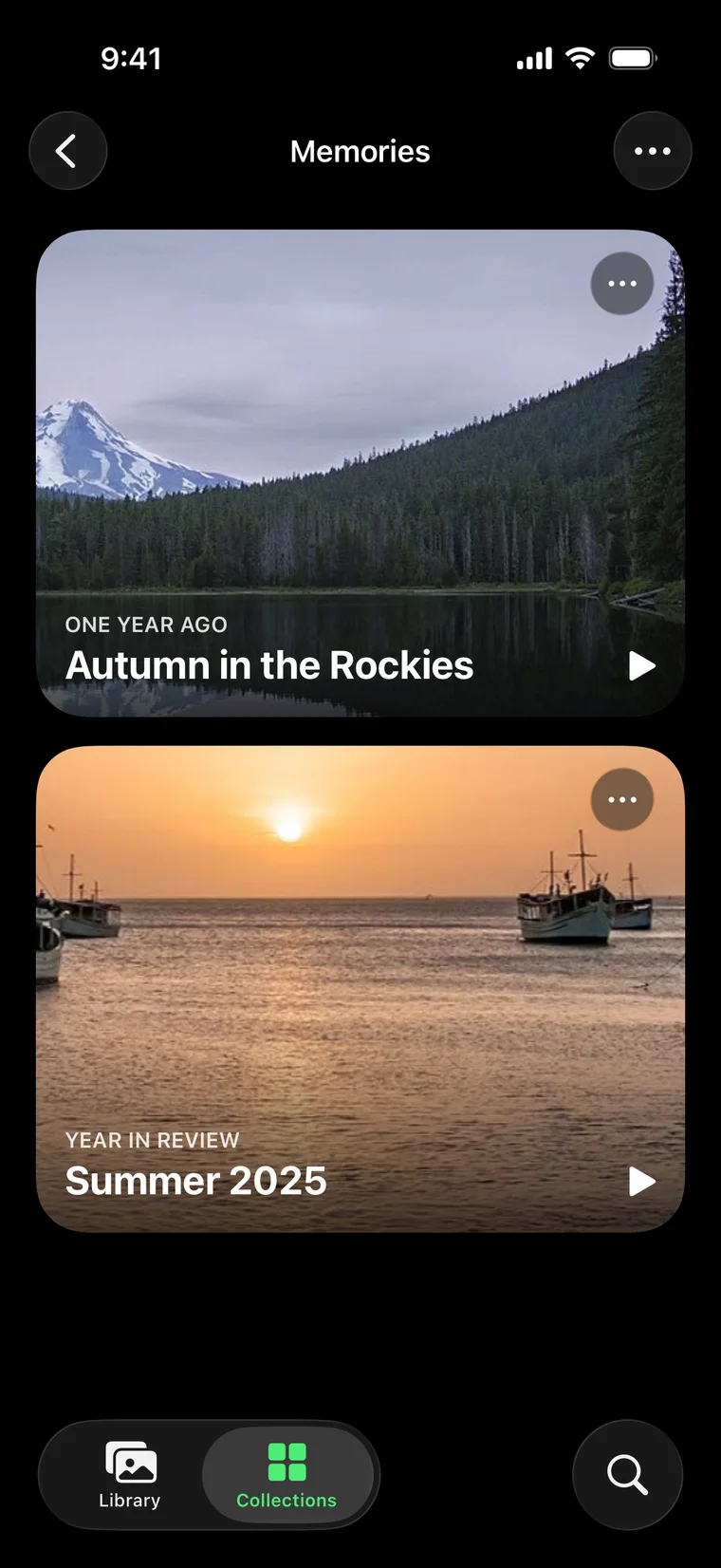
  4. Memories, ready when you are

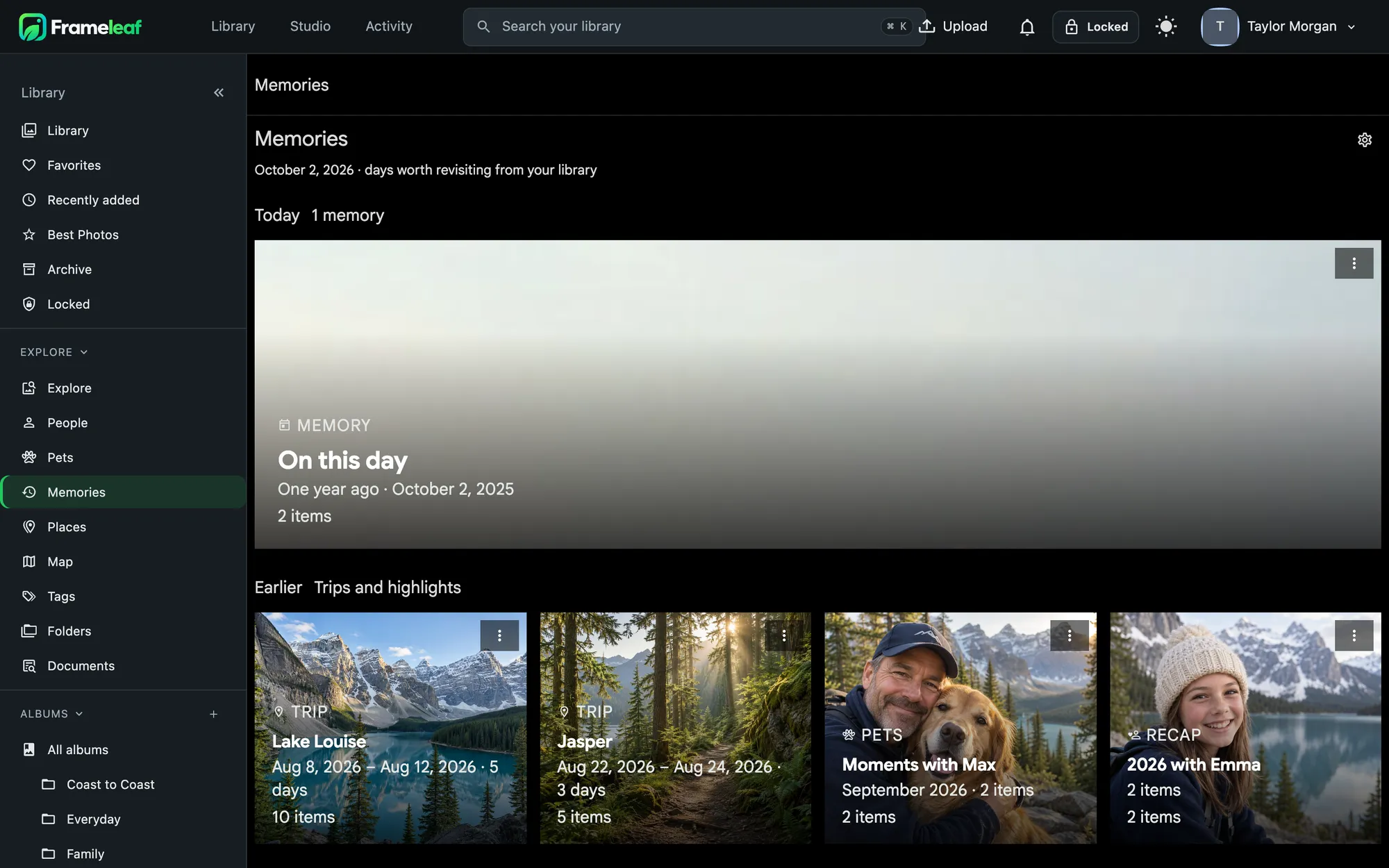
    On this day, trips and years in review, with highlight videos made by your server.

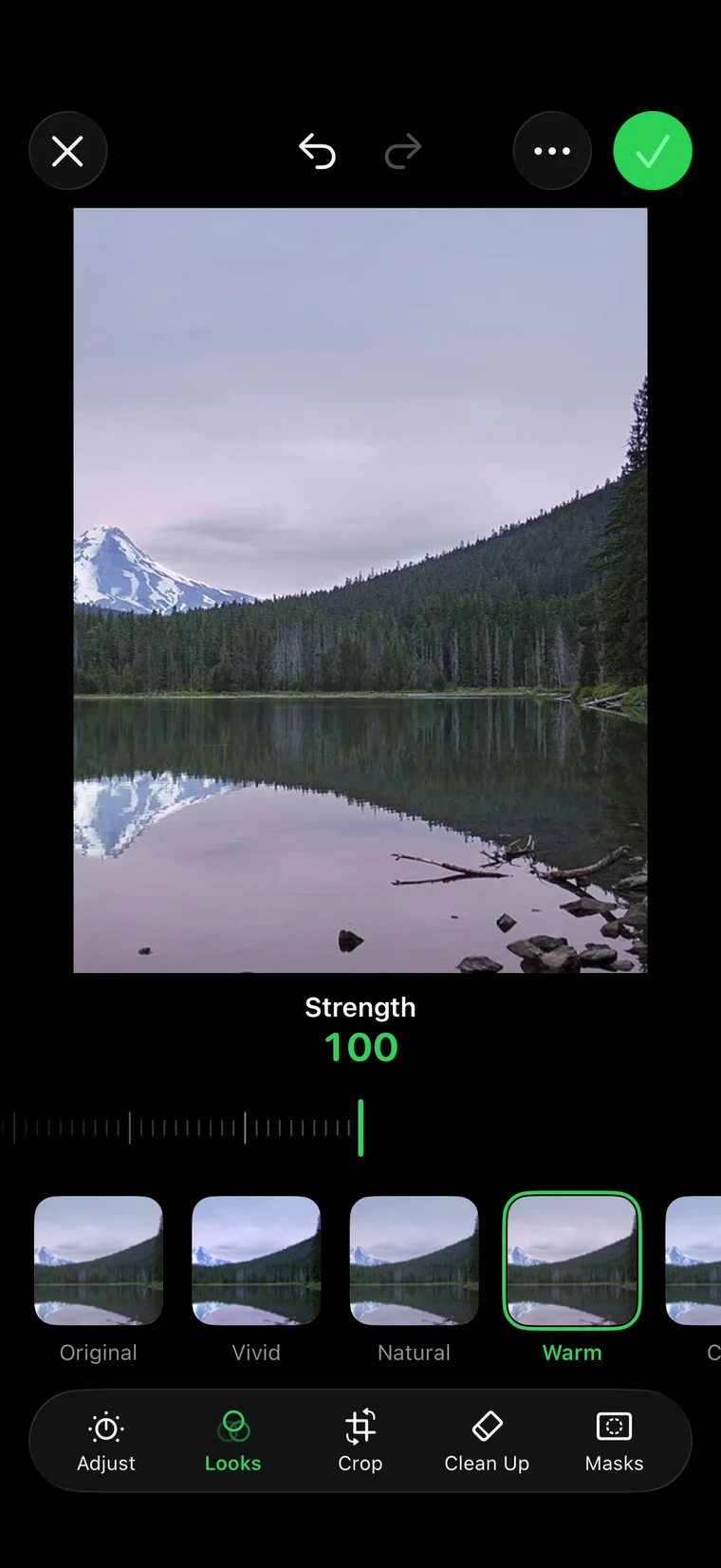
  5. Edit on the go

    Adjust, Looks, Crop, Clean Up and Masks, saved as a new version on your server.

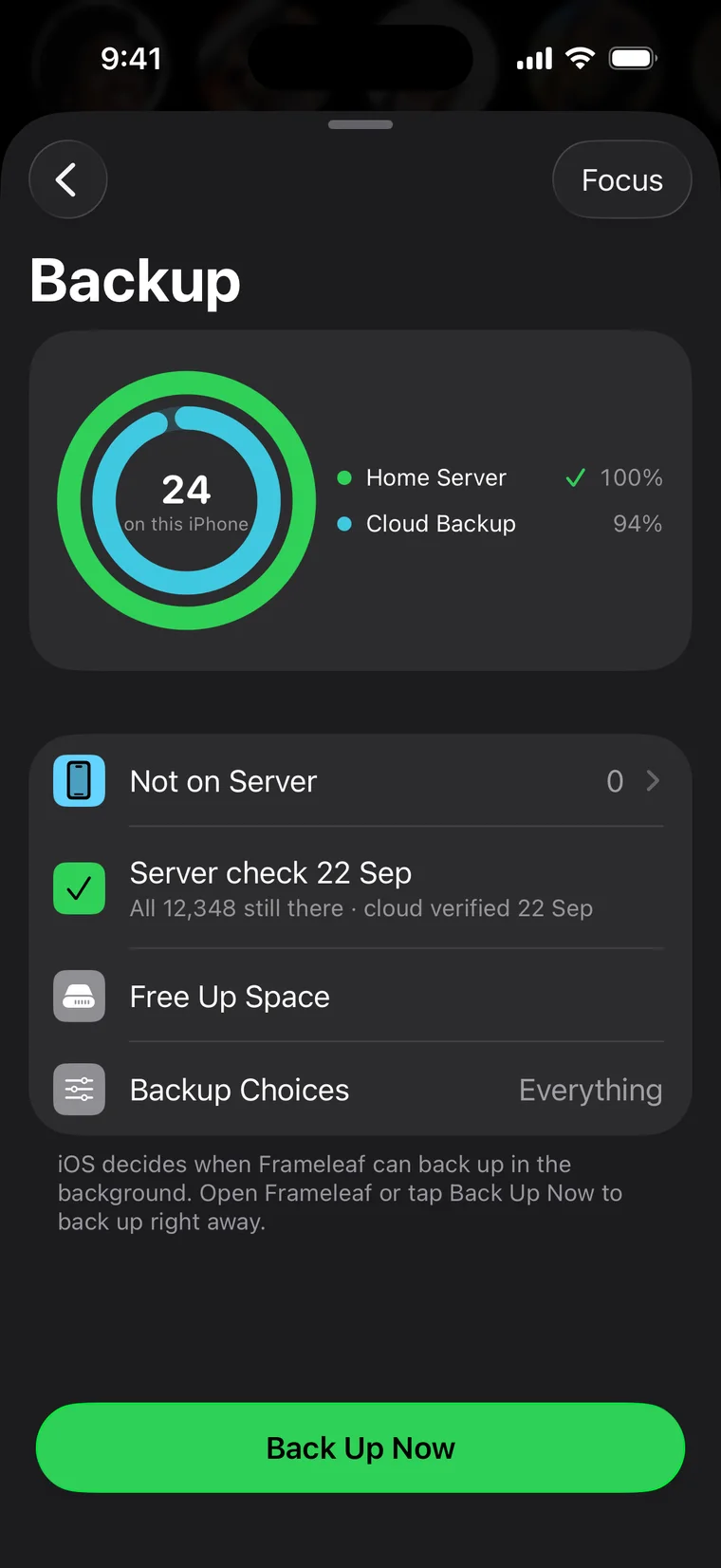
  6. Know every photo is safe

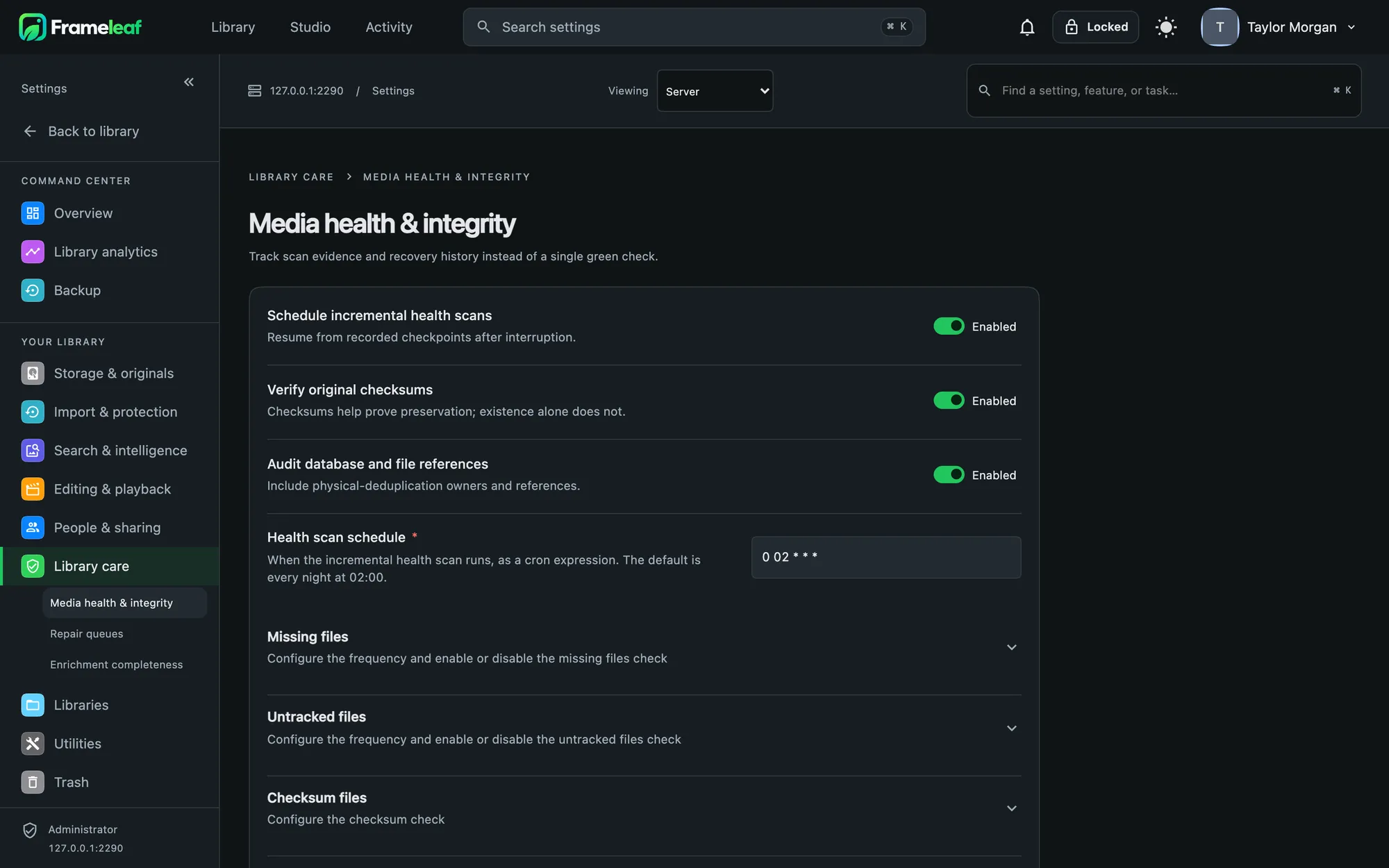
    A photo counts as backed up only when the server proves its copy is identical.

Download on the App StoreGet it on Google Play

Coming soon to the App Store and Google Play.

See the apps
Months on iPhone
Library on Android
Search on iPhone
Memories on iPhone
Editor on iPhone
Backup on iPhone

Built to outlast the apps you use today.

A photo library is a forty-year project. Frameleaf is designed so that nothing about it depends on us.

Originals are files

Your photos sit on your disks exactly as you uploaded them. Frameleaf never writes to an original.

Your edits travel with them

Descriptions, ratings, dates, locations and tags are written to XMP sidecars that any photo app can read.

Edits are recipes

Every edit is rendered fresh from the original, so there's no quality loss, and the original is one click away.

No telemetry, ever

Your server sends nothing about you anywhere. It can't be switched on by a setting or a flag.

Only Frameleaf hosts

Map tiles and AI models come from Frameleaf's own servers, and nothing is fetched from anyone else's.

Open source

The Frameleaf Library community edition is AGPLv3. Read it, run it forever, and leave whenever you like with everything intact.

Add the cloud only where it helps.

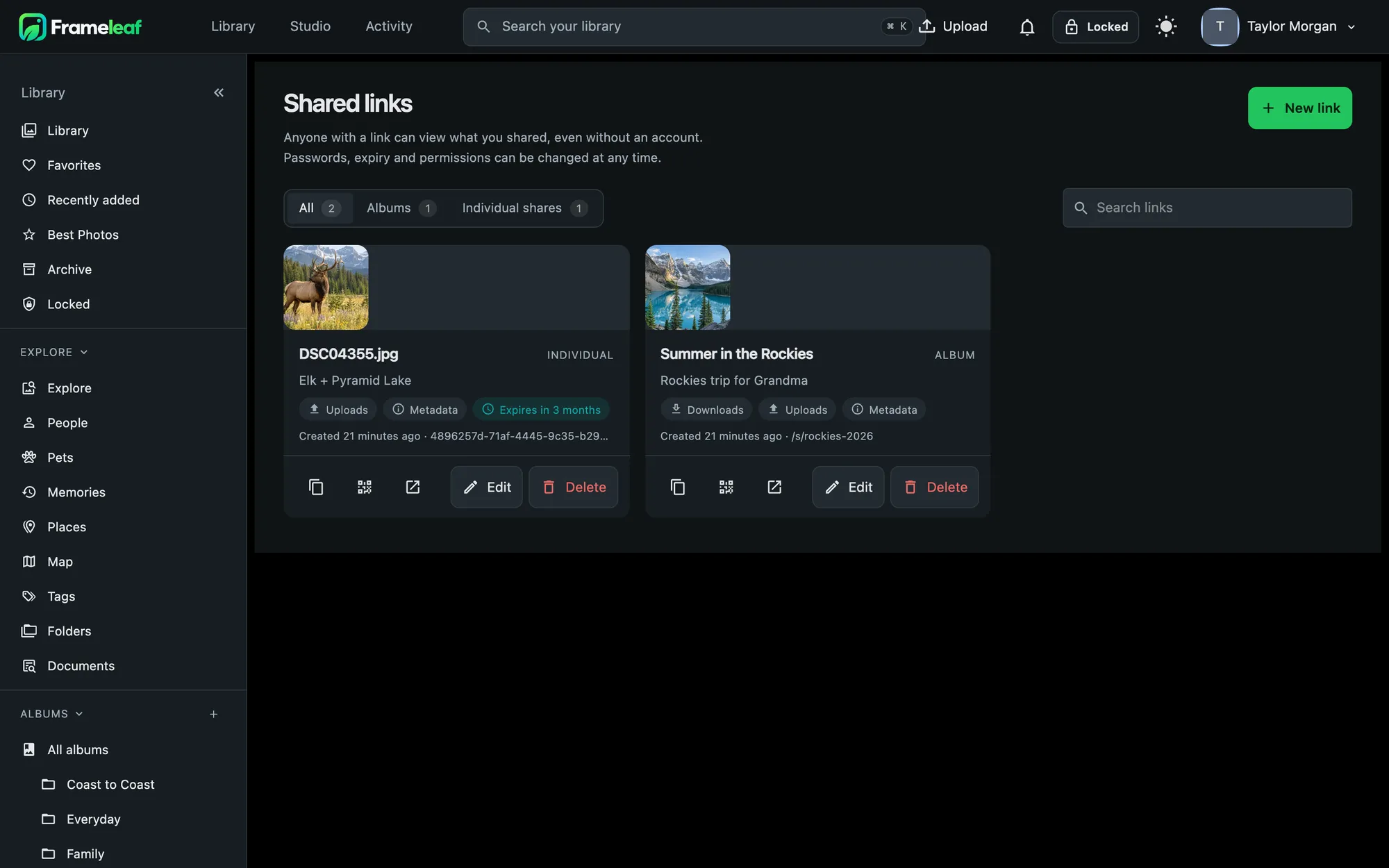
Photos go from your phone to your own server first. Frameleaf Cloud is optional, and nothing reaches it unless you link your server.

Remote access

Your server dials out to a relay that never decrypts its traffic. No ports to open, and the certificate's key stays on your server.

Cloud backup

A bucket for your server alone, encrypted with a key the storage provider never keeps. The first terabyte is included.

Buddy backup

Pair with a friend who also runs Frameleaf and back up to each other's disks, at no extra storage cost. Neither they nor the cloud can see your photos.

Cloud GPU

Rent a GPU for jobs your server can't handle, like upscaling or restoring old video. Faces and search always stay home.

Runs on the NAS you already own.

Frameleaf is a set of containers. If your box runs Docker, it runs Frameleaf. Step-by-step guides cover the three most popular NAS systems.

Or any Linux box with Docker.

Three commands from an empty folder to a running library. You need 6 GB of RAM and two CPU cores, on amd64 or arm64.

# Get the Compose file and settings from the latest release
wget -O docker-compose.yml https://github.com/Frameleaf/frameleaf-app/releases/latest/download/docker-compose.yml
wget -O .env https://github.com/Frameleaf/frameleaf-app/releases/latest/download/example.env

# Start Frameleaf in the background
docker compose up -d

Free at home. One plan for the cloud.

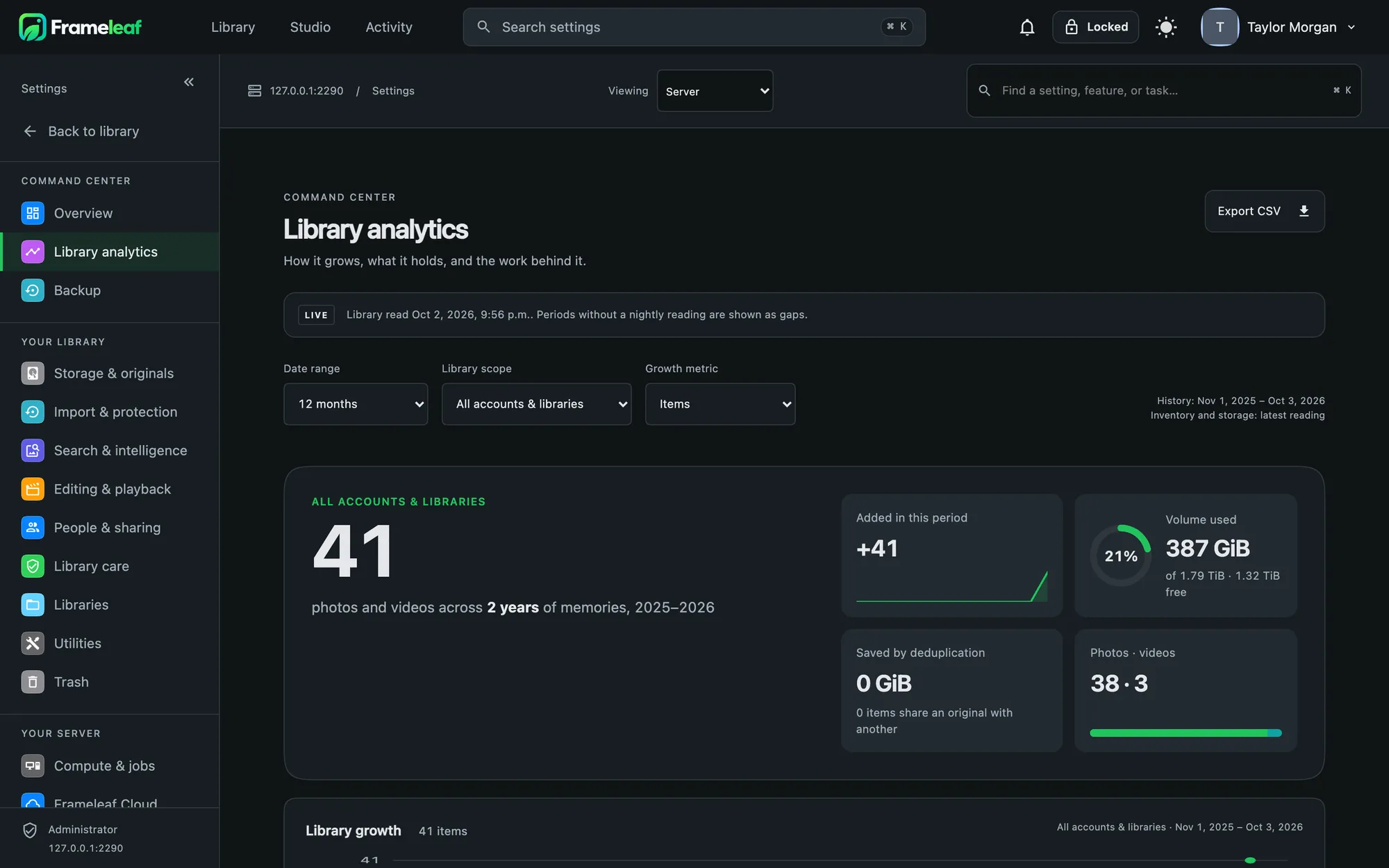
Everything that runs on your server is free and never locked. Frameleaf Cloud is a single subscription for remote access and backup, with AI processing paid by use.

Frameleaf Cloud

$9.99 / month
  • Remote access to your server from anywhere, without opening ports
  • 1 TB of cloud backup included
  • Buddy backup to a friend's server, with no storage charge
  • More space added automatically at $9.99 per extra terabyte each month
  • Cloud GPU jobs paid from your AI credit
Sign in to get started

Server and individual supporters get 20% off: $7.99 a month or $79.92 a year.
Self-hosted

$0
  • The full library, apps, faces, search and editor
  • No account and no licence needed
  • Open source under AGPLv3
Install on your server

AI credit

$20 and up
  • Prepaid balance for cloud GPU jobs
  • Every job shows its cost before it runs
  • Optional automatic top-up
How cloud GPU works
For photographers

Frameleaf Cloud Pro.

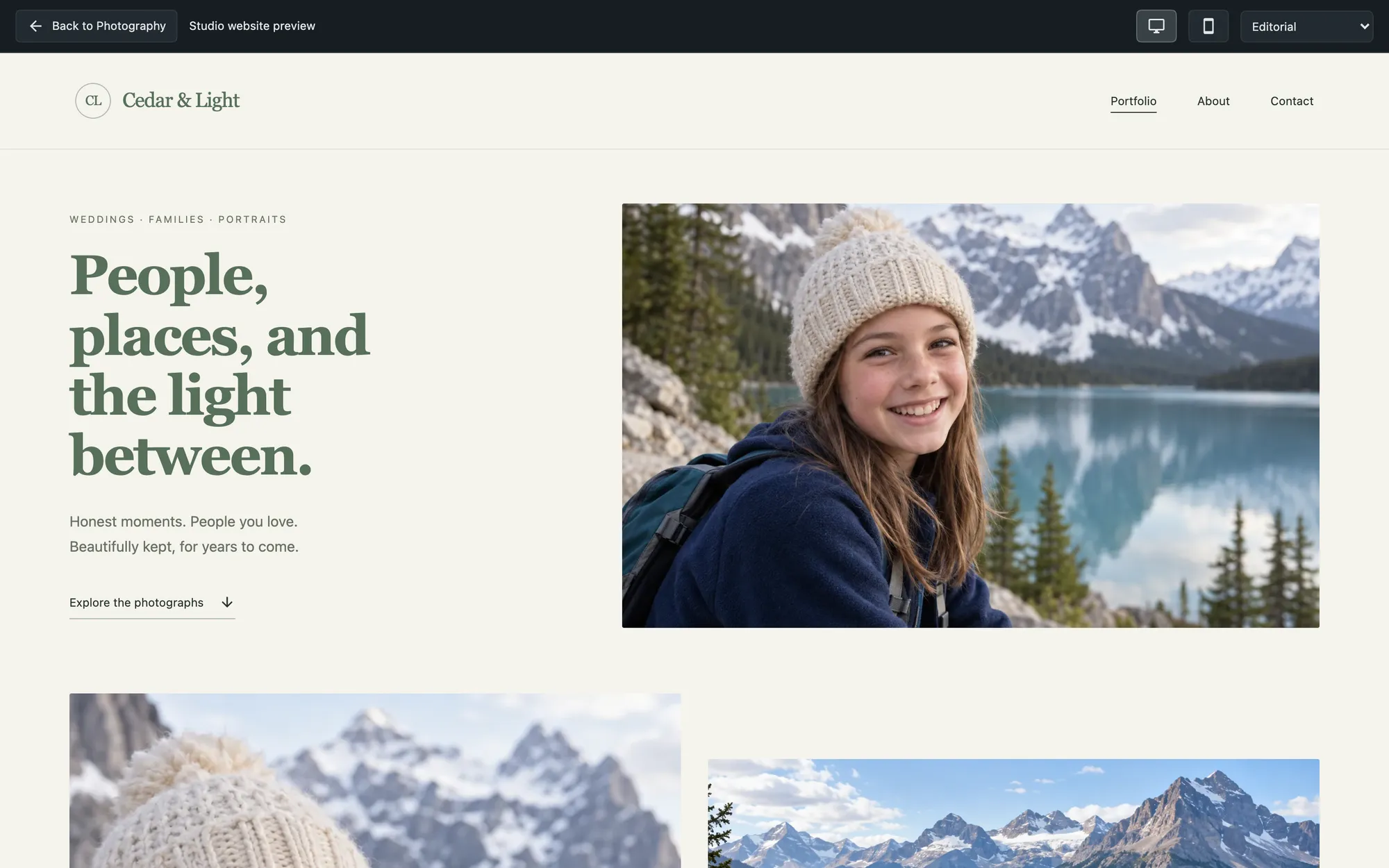
Ingest, proof, edit and deliver client work from your own server; that part is free. Cloud Pro publishes your studio website and client galleries on your own domain, with managed connections, a faster relay and priority support.

$29.99 a month, or $299.90 a year

Frameleaf for photographers
A studio website published from a Frameleaf server

Open source, for good.

The Frameleaf Library community edition is licensed under AGPLv3. Read the code, run it forever, and leave whenever you like with every original intact.

View on GitHub
$ git clone github.com/Frameleaf/frameleaf-app
License: AGPL-3.0

Bring your photos home.

Install Frameleaf on your server, then sign in from the app on your phone.